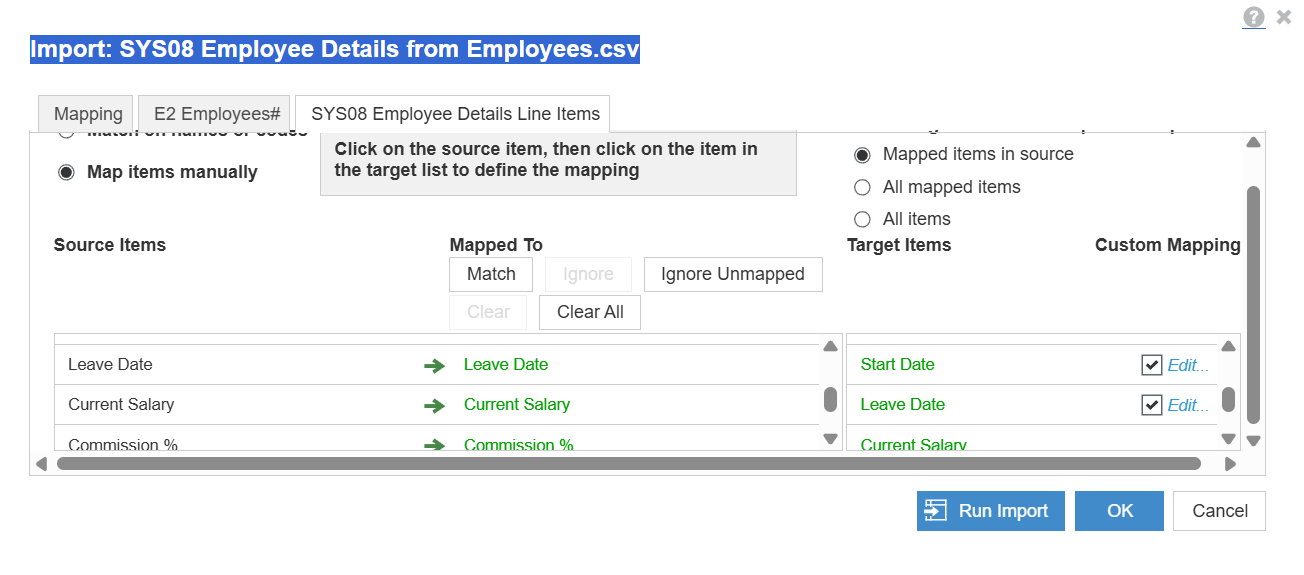
Can anybody please write down the steps for the particular SYS08 - import and correct mapping
As after several attempts and struggling to get it right .
Appreciate your support guys.
@AsadA
Would you not mind sharing the error or the mapping that you are trying to import.
~Anand
Thanks Anand for your prompt response , luckily got assistance from a buddy and it is sorted now .
I was not mapping correctly 🙂
Hi Asad,
could you please share your solution, i am having same issue and unable to map the E2 Employees# to the .CSV file.
Thanks
Zeb
Hi @zaibhamid81 Please share the screenshot of your mapping, its just the mapping error and you are good to import!
Thanks @sobaid for your reply,
I have tried with codes and it allows me to update the data but it does not show the names of the employees. It only works when I manually map name in SYS08 Employee Details tab. please see the below screenshot and please let me know if I am doing it correctly.
Hmmm, Your mapping seems to be correct now, try doing it again after refreshing. Hope it works!
hi @zaibhamid81 , If you found the above suggestion useful and solved your doubt.Kindly mark the thread as solved 😉
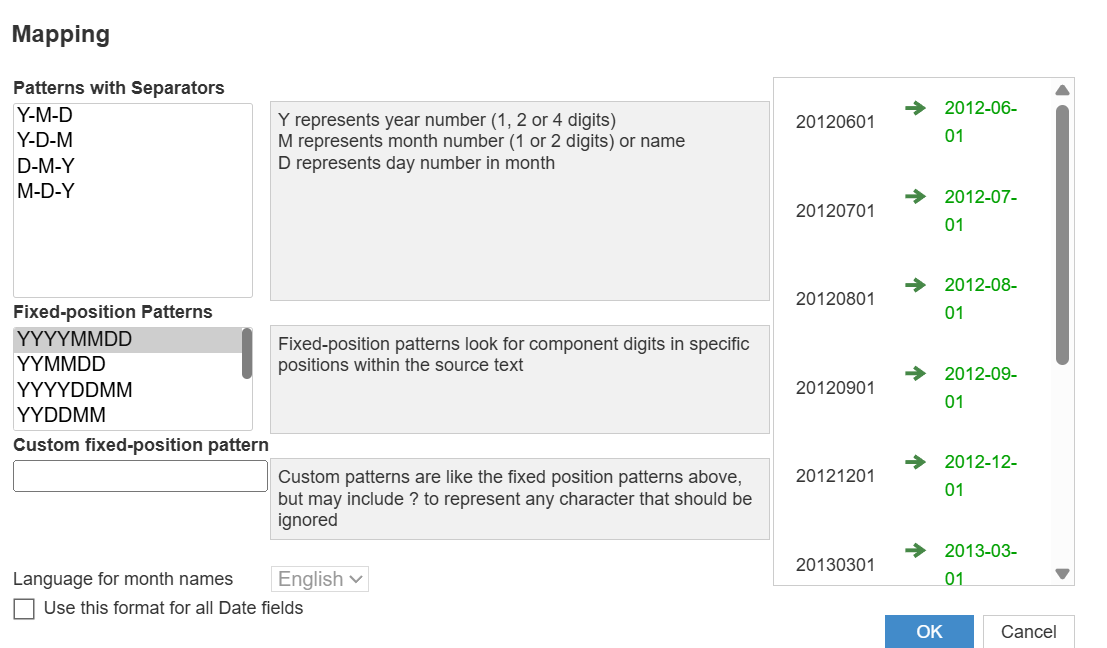
This where You can edit Date Format.
Has anyone tested Analyst’s response quality/speed on large, sparse models (think 10+ dimensions, millions of line items)? Wondering if there’s a practical ceiling before it starts timing out.
We've been building a tool called aplan4sheets and we'd genuinely like input from this community — both on what we've built so far and on what we should prioritize next. The problem we set out to solve: Anaplan's Excel add-in is Windows-centric, and there's no real native way to pivot Anaplan data in Google Sheets. We…
We are looking for Anaplan end-users to provide feedback on their experiences with the Excel add-in. Interested individuals will respond to this 5-minute survey to help us understand personal needs and behavior when using the add-in. The feedback provided by survey takers is essential to the roadmap of Anaplan's products.…