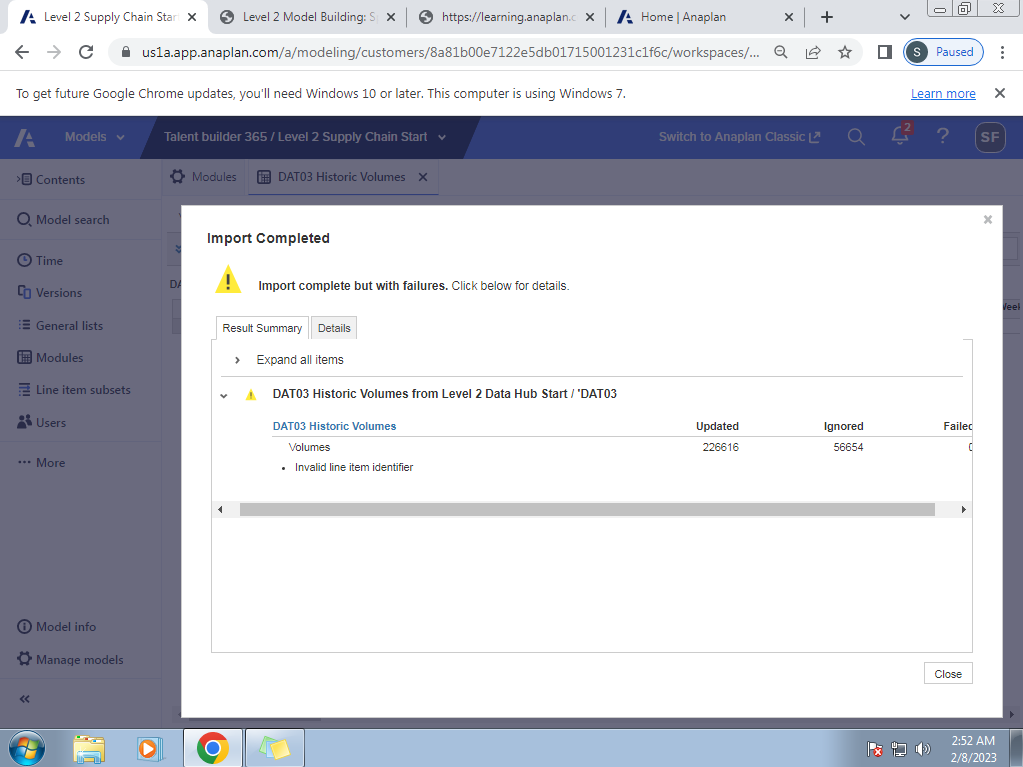
please help me , I think im doing wrong in mapping
Hi @Saddiya ,
Your action mapping doesn't seem wrong as per the snapshot.
Please verify line items tab as well in the action mapping. And then the source saved view in hub, for appropriate dimensionality (time range?), pivot and filtering.
Cheers!
please can you check now its correct ,i just change product to Nutzo Bar_EN
thanks @AjayM for helping me I appreciate ,
DAT03 as per the snapshot looks fine, and I hope you verified and fixed the import action to work without any failures.
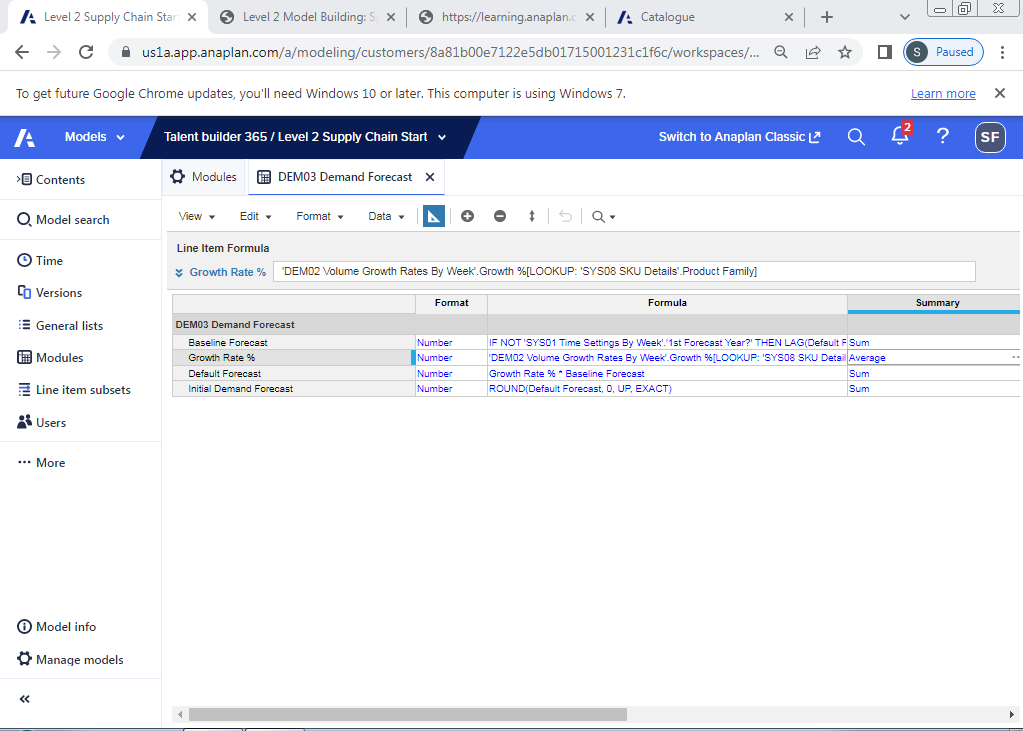
hello ,sorry to bother you again but please help me i'm in trouble again i have created DEM03 Demand Forecast ,and i have write all the formulas but i'm not getting any value , i'm sending some photos please check and tell me where i'm wrong , i have change the Summary of Default Forecast and Growth Rate % to None also but nothing works please help me,
First, I hope you are able to get baseline forecast & growth% flowing through in DEM03. Formulae for these two look fine to me, except that I can't see time dimension (guessing you got 'Week').
The main issue lies in default forecast formula, where the growth rate is not being applied over and beyond baseline forecast. Ex: If Growth rate% is 1%, and baseline forecast is 100, then default forecast should be 100 + (1% of 100). You are doing just 1% of 100.
And, you don't need any summary on Growth%.
Hello everyone, I hope you're doing well. I'm posting because two of my coworkers are trying to use the Anaplan Excel Add-In Series 4, but they're running into an issue during the connection setup process. When they go to New → New Read-Only Connection (or New Connection) and reach the "Select a Customer" step, no…
Why in my model output is blank, after send explainability data.
I am working on a use case where I need to display the top 5 lines of a module as individual lines, while grouping all remaining lines under an "Others" category. The module is dimensioned by multiple composite hierarchy lists, along with Time and Version. To achieve this, I need to use the RANK function with the Ranking…