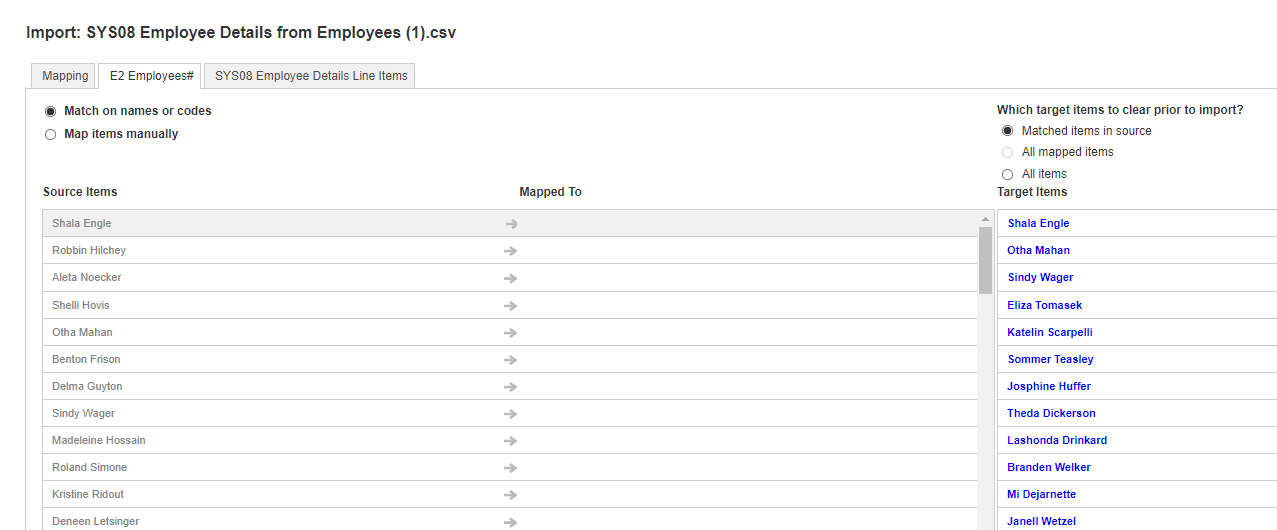
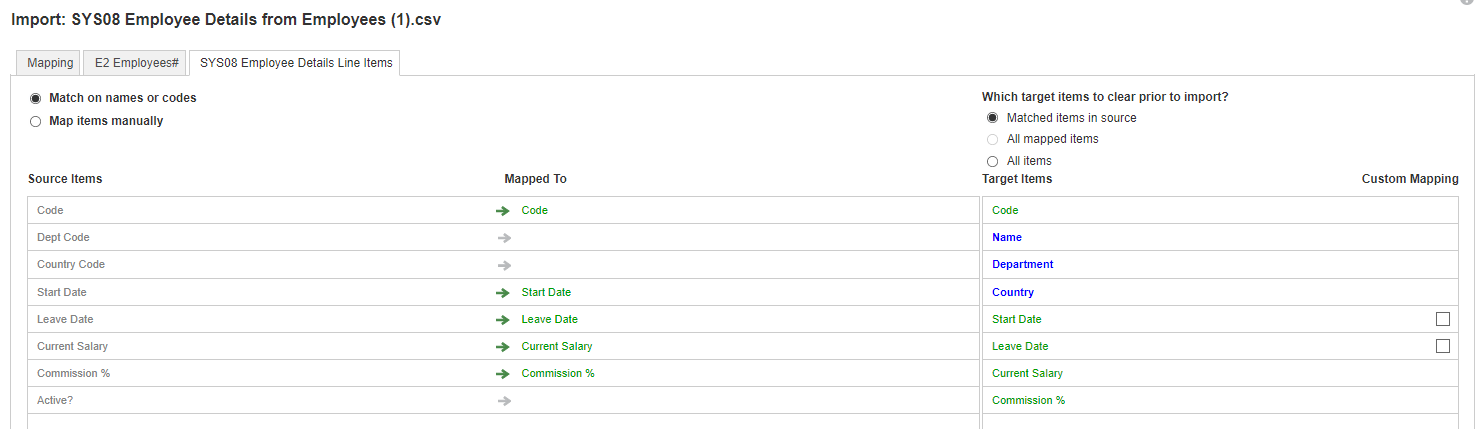
Can someone let me what I am doing wrong? I cant import the data correctly.
@shlokhan
It looks like you're having an issue because you're using the employee name for the mapping. For numbered lists you have to use a unique code for the mapping. The numbered list item won't work for mapping purposes. For numbered lists, the specific item number that the system genereates for each list item is used for the mapping even though you see the display name. Change the source from ‘Employees’ to ‘Code’ and that should solve your problem.
Hello All, Is possible to Data label colours based on Legend? By default the Axis in ANPALAN steps up by 2.5K, how to manually adjust? Data labels for all legends is not displayed, possibly due to size, how to move the labels TIA
Hi, I was hoping to get some help with this situation, where I am trying to take a list to list mapping on the left and get an output similar to the right, but the main idea is i want to be able to make the selected item (format: list), the dimension of a target module and reverse map the original source list as a list…
Hello everyone, I hope you're doing well. I'm posting because two of my coworkers are trying to use the Anaplan Excel Add-In Series 4, but they're running into an issue during the connection setup process. When they go to New → New Read-Only Connection (or New Connection) and reach the "Select a Customer" step, no…