Hello,
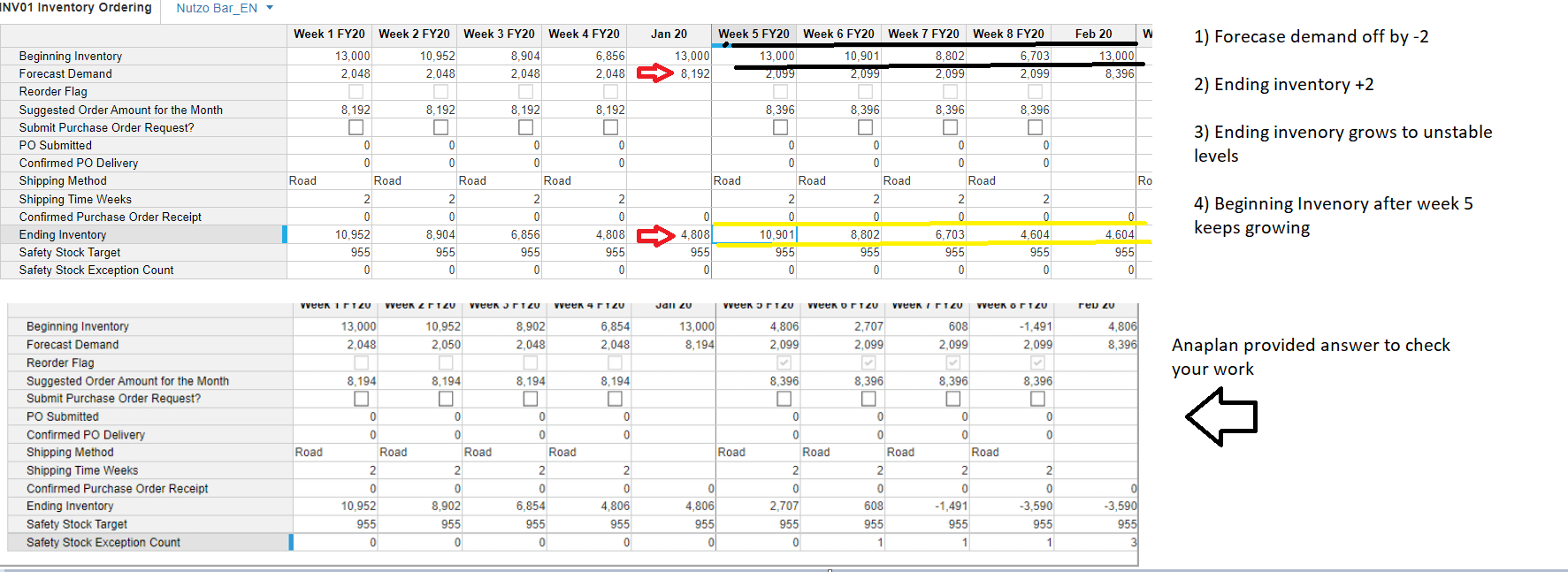
My numbers seem a little off anything you can suggest ? (last screenshot)
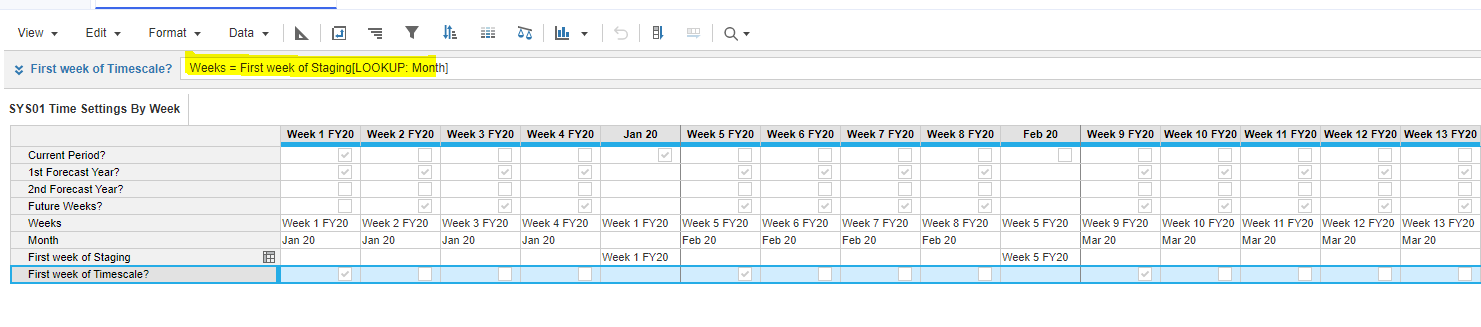
Hi, I would recommend checking line item 'First Week of Timescale?' SYS01 Time Settings By Week. That seems to be true for first week of each month and it resets your Beginning Inventory to value in DAT01 Beginning Inventory. I think the line item should be true only for one week that would be the first week of the timescale.
Settings below any idea how to properly adjust it does reflect first week checkbox forumlas below.
ty
Hi,
Formula for that line item could be 'START() = CURRENTPERIODSTART()'
Hello this fixed part of the problem.
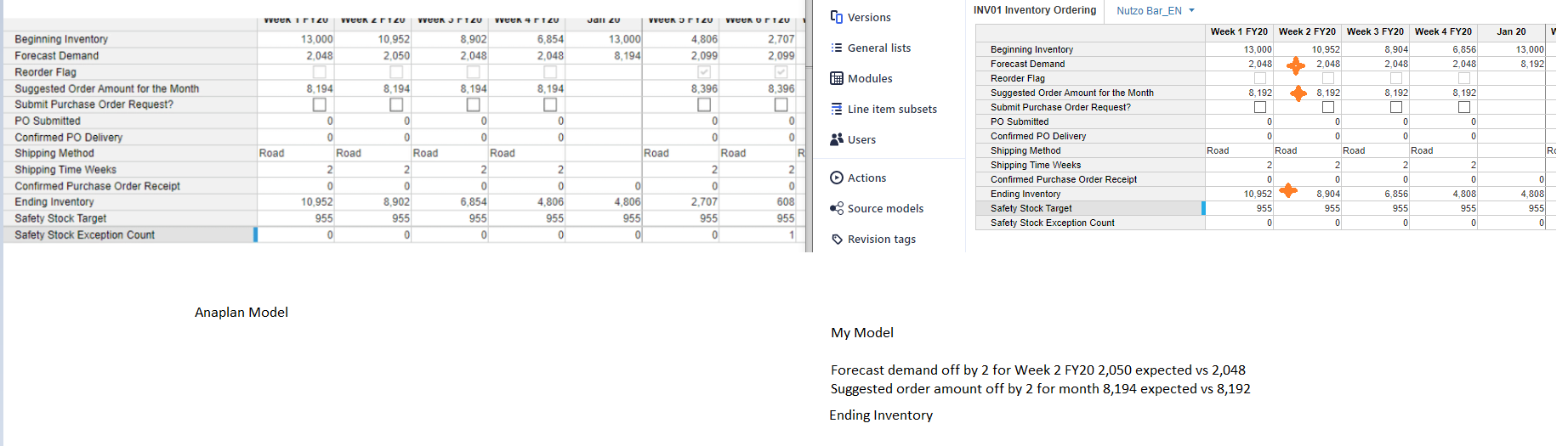
However I am still have a variance of 2 with below fields if you can assist ?
Forecast Demand
Suggested order amount
ending inventory
In Anaplan example model there is an override done for Nutso_bar_EN and account Candyate to value of 62 on week 2 FY 20. If you don't have that override done that makes up the difference between your model and Anaplan example screenshot.
The comment above is correct. The example screenshot used in the training is based off an override that was put into the DEM03 Demand Forecast Module earlier in the training series and is the reason the numbers from the OP are out by 2.
I am havingg the same error. Data is not correct from 5th week onwards in begging inventory. Kindly assist.
Hi everyone 👋 If you build or maintain Anaplan models, you've probably hit the same walls I kept hitting. Some basic questions about a model's structure have no single screen to answer them. You end up clicking through modules and pages one by one, or writing API scripts just to get a list. These were the gaps that…
Hi Everyone, We have a requirement in Anaplan Consolidation & Reporting (Fluence) where the Entity Structure needs to change effective January 2026. The key requirement is that the existing entity structure should continue to be applicable for all reporting and consolidation periods through December 2025, while the new…
We've been building a tool called aplan4sheets and we'd genuinely like input from this community — both on what we've built so far and on what we should prioritize next. The problem we set out to solve: Anaplan's Excel add-in is Windows-centric, and there's no real native way to pivot Anaplan data in Google Sheets. We…