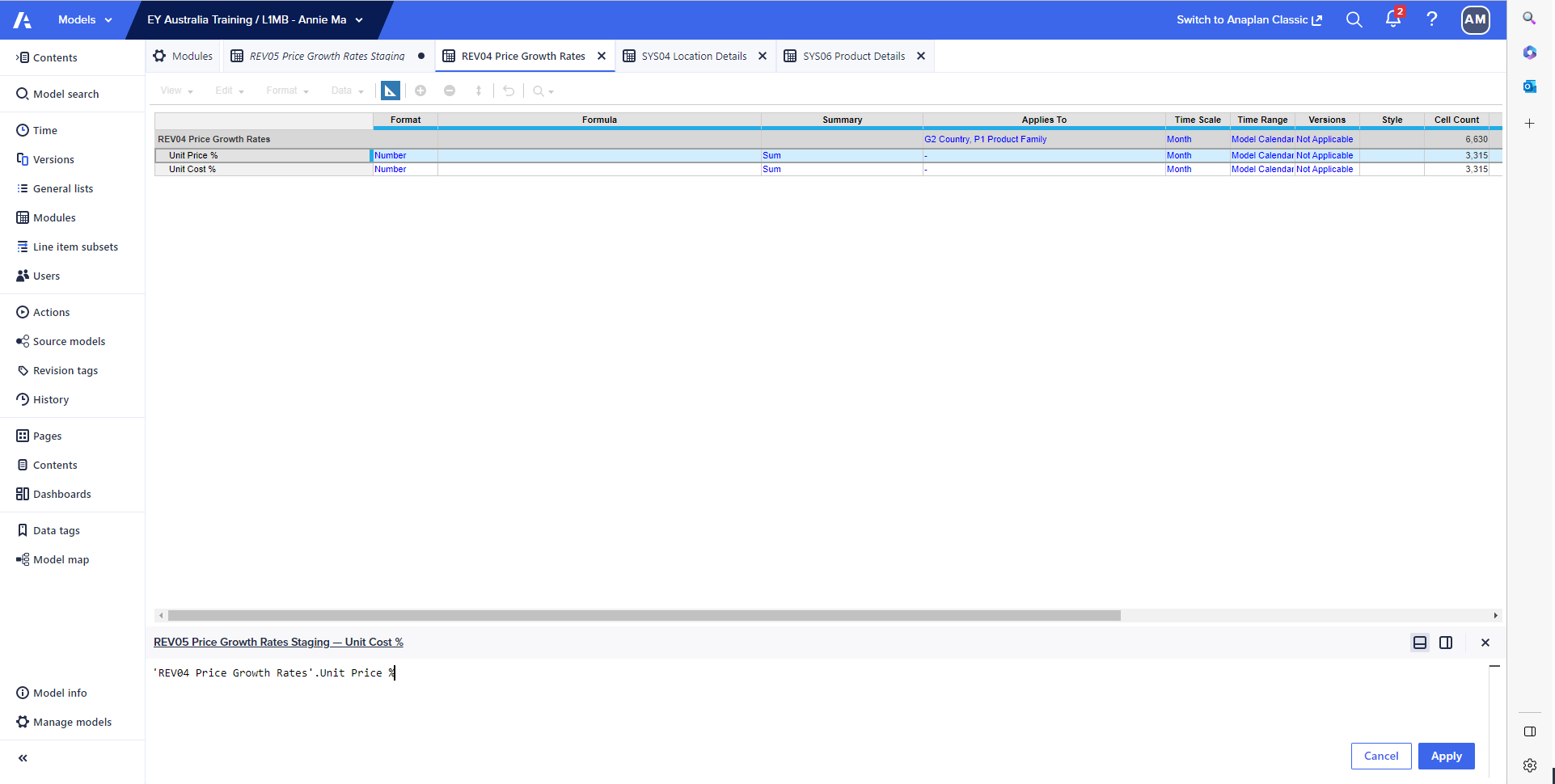
I am getting an error message telling me my formula is invalid :(
Hi @AnnieMa , Please find the observations below:
Step 1: Change the time scale to "Year" in Rev04 Module.
Step2:Change the time scale to "Not Applicable" in Sys04 Module.
Step3:Change the time scale to "Not Applicable" in Sys06 Module.
Step4:Change the time scale to "year" in Rev05 Module(Also make sure you have taken G3 Location, P2 Products as dimension in Rev05 Module)
The formula seems to be fine but the time dimension is different in above mentioned modules.
'REV04 Price Growth Rates'.Unit Price %[LOOKUP: 'SYS04 Location Details'.Country, LOOKUP: 'SYS06 Product Details'.Product Family]Hope this helps. Attaching screenshots for your reference.
Regards, Venkatesh
Hi Venkatesh, I've now set REV04 & REV05's time scales to "Year".
I've also set SYS04 & SYS06's time scales to "Not Applicable".
I still received the error: Dimension of mapping used for lookup doesn't match any dimension of the result.
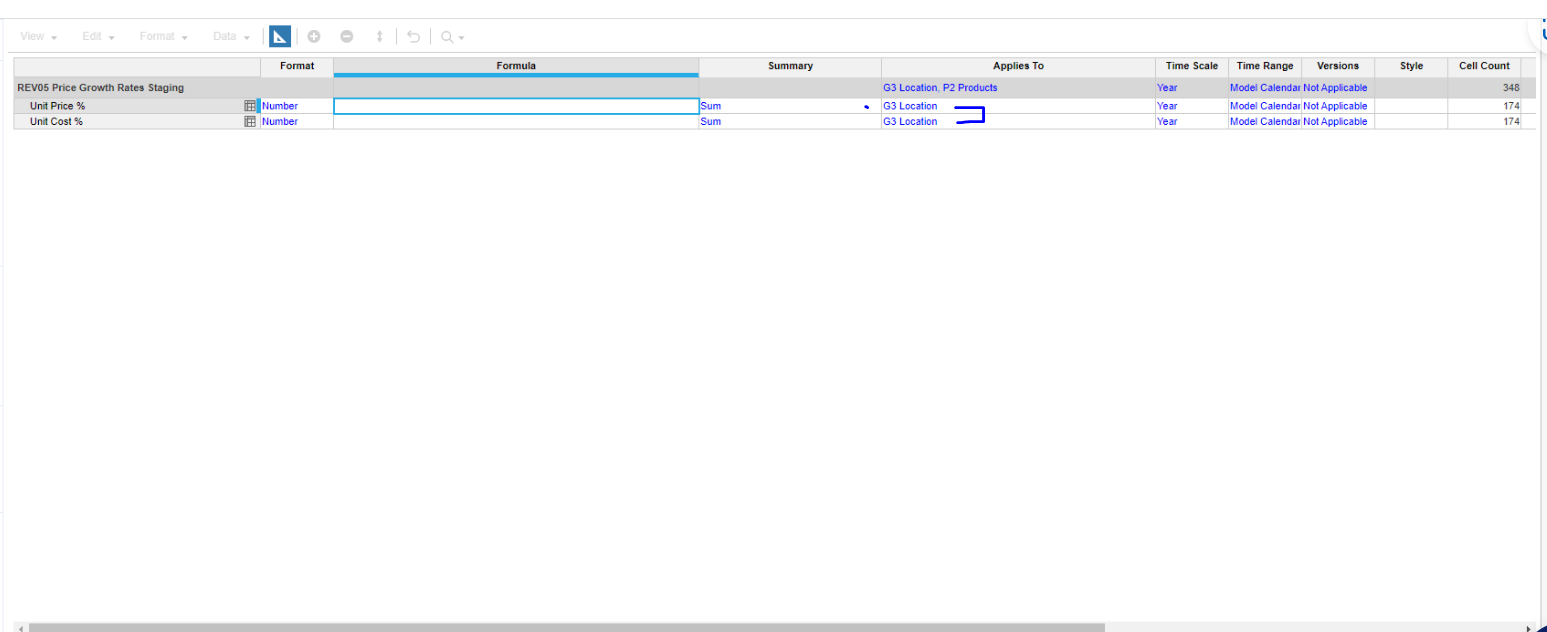
I have noticed that REV04 applies to "G2 Country" & "P1 Product Family" while REV05 applies to "G3 Location" & "P2 Products" Would this be causing the issue?
Hi @AnnieMa , Yes REV04 applies to "G2 Country" & "P1 Product Family" and REV05 applies to "G3 Location" & "P2 Products". Can you share the blueprint view of the Rev05 module? Regards, Venkatesh
Hi @AnnieMa , you are getting that issue is due to subsidiary view you have given for your line items remove(Highlighted) G3 location in applies to for "unit cost %" and "Unit price %". Attaching image for reference.
Hope this will work now :)
Hi @AnnieMa , That is expected as there is no data in Rev04 module. Because of that you are getting no values in Rev05. Try entering some data in Rev04 module check the data in Rev05 module. Regards, Venkatesh
Yeah sure :)
THANK YOU so much Venkatesh!! It worked :)
I just noticed that once I left Blueprint View, the numbers didn't change…
Oh okay, thanks Venaktesh
Has anyone tested Analyst’s response quality/speed on large, sparse models (think 10+ dimensions, millions of line items)? Wondering if there’s a practical ceiling before it starts timing out.
We've been building a tool called aplan4sheets and we'd genuinely like input from this community — both on what we've built so far and on what we should prioritize next. The problem we set out to solve: Anaplan's Excel add-in is Windows-centric, and there's no real native way to pivot Anaplan data in Google Sheets. We…
We are looking for Anaplan end-users to provide feedback on their experiences with the Excel add-in. Interested individuals will respond to this 5-minute survey to help us understand personal needs and behavior when using the add-in. The feedback provided by survey takers is essential to the roadmap of Anaplan's products.…