I've only just realised after completing lesson 12.4.3. that all of my cells are displaying zeroes. Does anyone know what I've done wrong?
Hi @AnnieMa , The formula you have used seems to be correct in Rep02 module. Did you check the data in Rev03 module "cost of sales" line item? Can you share the formula used for "cost of sales" in Rev03 module? if possible?
Regards, Venkatesh
Hello @AnnieMa ,
Do you have SYS06 populate in a similar fashion to the image below?
Cheers!
Hello @AnnieMa,
You need to upload the size file. It is just an import and the file should be provided. Once you have that, it would drive the LOOKUP and the data will flow.
Hey @AnnieMa ,
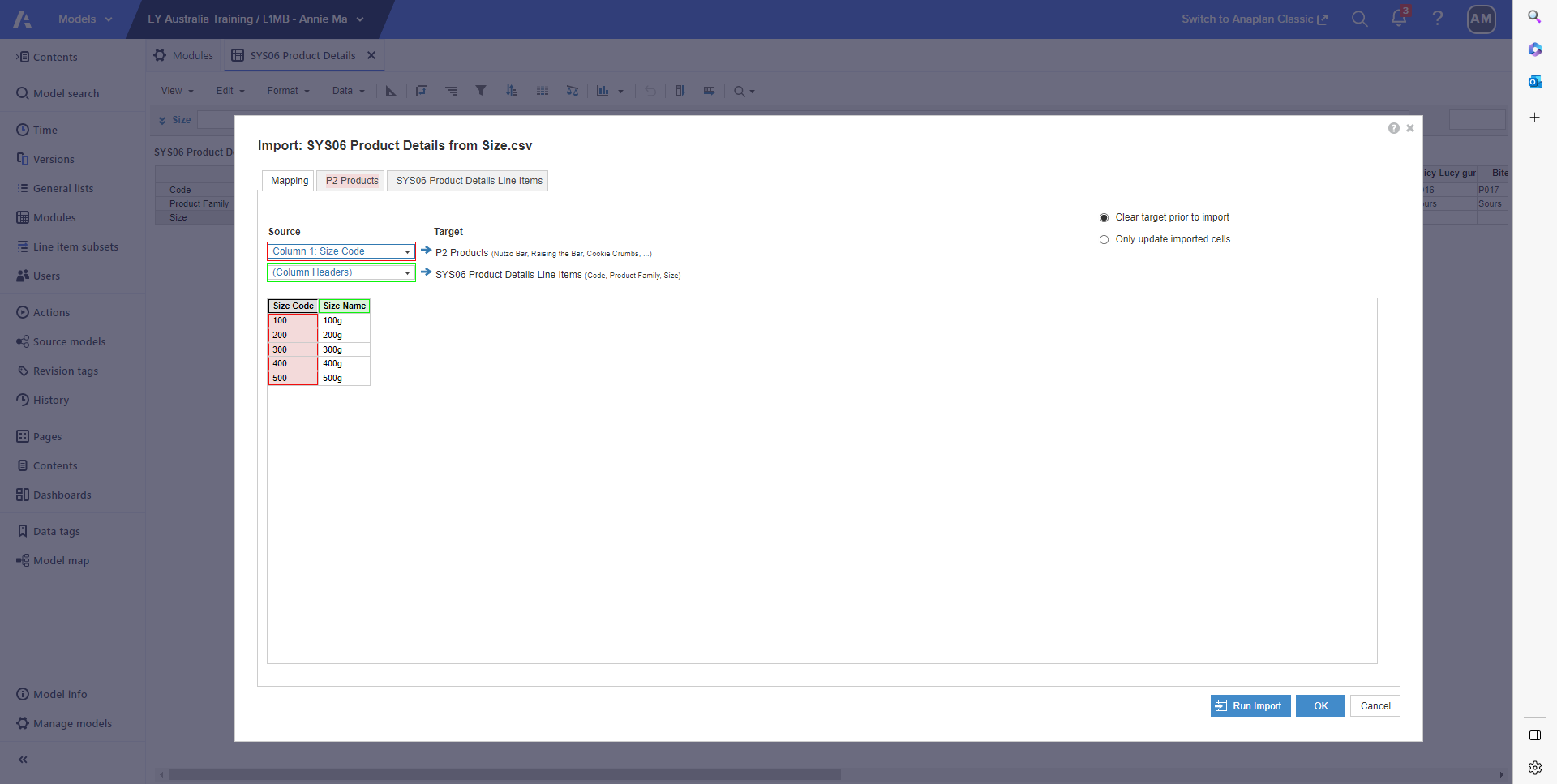
So your Product code should match with your product list and the size should be identified as column header and match accordingly.
The file is called Products.CSV. I believe you are using the file required for the list, but there is another to bring the product details.
Ohhh thank you Bruno!! :)
Hi Bruno, I've noticed that my SYS06 doesn't have Size filled out for some reason, the other 2 line items are filled out though. Was I supposed to type a formula for the Size line item?
My REV03 module has been populated with the data as follows :)
I think my SYS06 is wrong :(
Ohh I see, thanks Bruno.
Just a quick question with the data mapping. I don't know how I should map the data so that I can get the size in :(
For some reason I can only see size code or size name :(
We've been building a tool called aplan4sheets and we'd genuinely like input from this community — both on what we've built so far and on what we should prioritize next. The problem we set out to solve: Anaplan's Excel add-in is Windows-centric, and there's no real native way to pivot Anaplan data in Google Sheets. We…
We are looking for Anaplan end-users to provide feedback on their experiences with the Excel add-in. Interested individuals will respond to this 5-minute survey to help us understand personal needs and behavior when using the add-in. The feedback provided by survey takers is essential to the roadmap of Anaplan's products.…
Estimated Level of Effort:4-8 Hours of Model Building Level of Difficulty: Beginner Recommended Training: L2 Model Builder Training Persona: Casual Model Builder Potential ROI: Decreased planning time Increased accuracy of targets/spreads You Might Also Like: * Historical Snapshotting Top-Down Allocations Whether it's…