Hello,
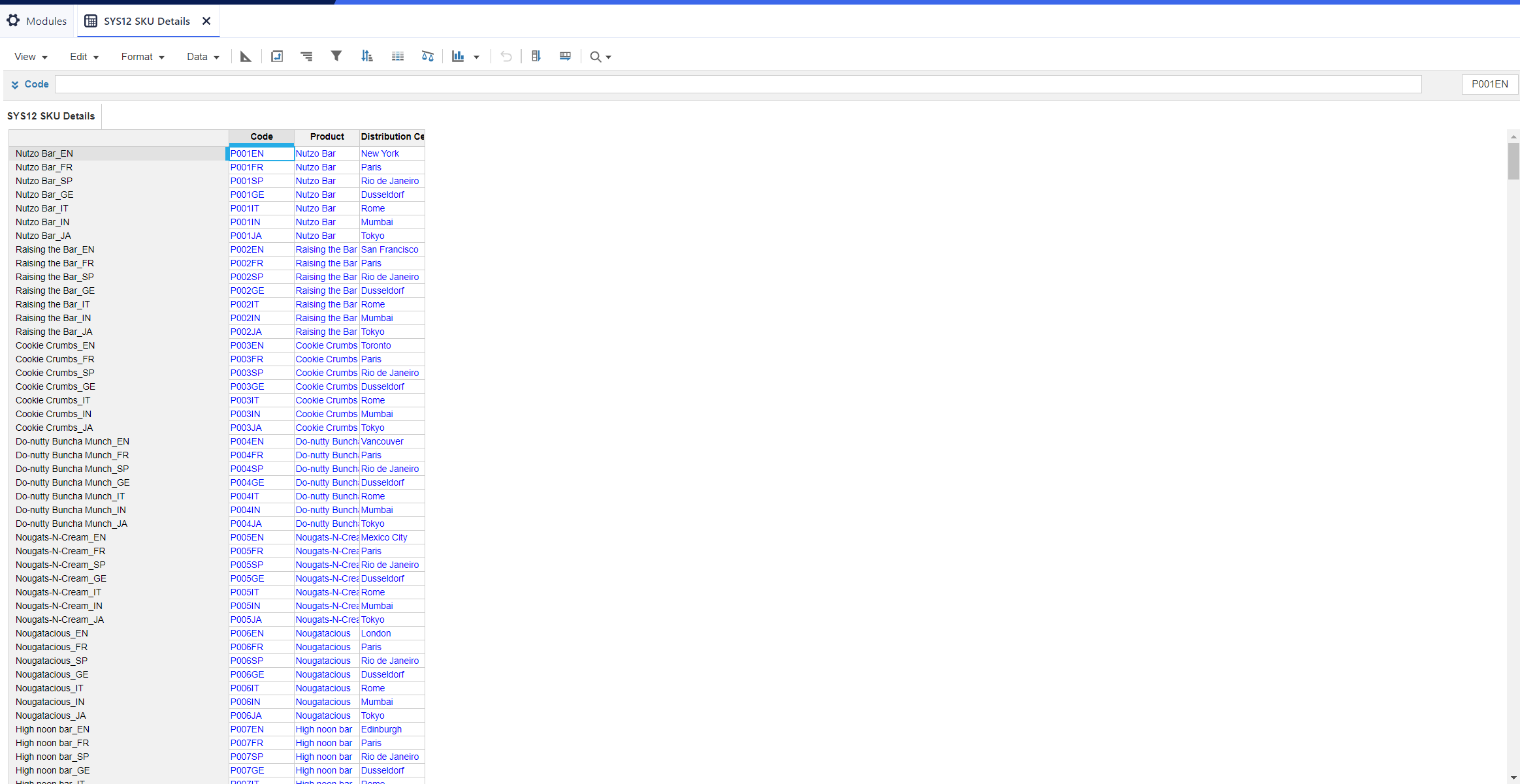
What formula should I use for the code line item? Instructions did not specifically describe the code.
Thank you in advance!
Oh, so close @JeemarieB - I should have been more precise. When I wrote "list" you need to put the list you want to address. So it will look close to this, all depends on what you named the list. CODE(ITEM('P3 SKU'))
Notice that when you have any characters that are not alpha numeric, like the number "3", you will have to put the list in single quotes like'P3 SKU'
See if that helps.
@JeemarieB
You can use the CODE function which will return a text formatted value. So, CODE(ITEM(List)). If done correctly will look like these codes here.
Hi Jared,
Formula is invalid on my end. Is there something I'm doing wrong here?
It worked! However,I noticed that the font for the codes changed from blue to black. Is this how it's supposed to be?
Astute observation! Yes, when you enter a formula the font will be black as an indication that the cell will not be editable. Anytime you see a blue font, the cell is editable. Good job! You're quickly becoming an Anaplan Champion.
Gotcha! Thank you so much for you help!
A while back, I shared a pattern for extracting and reporting on Anaplan audit data using a Python project hosted on GitHub. I wrote that during my time on the Operational Excellence Group (OEG) at Anaplan. The Python solution still works, and plenty of teams are running it today. The problem it solves hasn't changed:…
We are looking for Anaplan end-users to provide feedback on their experiences with the Excel add-in. Interested individuals will respond to this 5-minute survey to help us understand personal needs and behavior when using the add-in. The feedback provided by survey takers is essential to the roadmap of Anaplan's products.…
Estimated Level of Effort:4-8 Hours of Model Building Level of Difficulty: Beginner Recommended Training: L2 Model Builder Training Persona: Casual Model Builder Potential ROI: Decreased planning time Increased accuracy of targets/spreads You Might Also Like: * Historical Snapshotting Top-Down Allocations Whether it's…