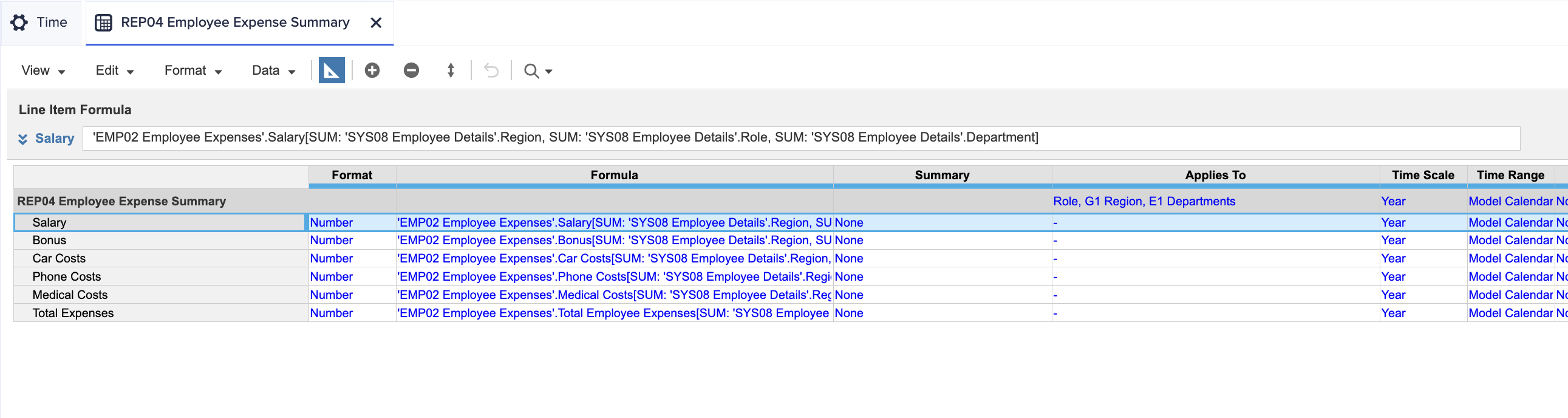
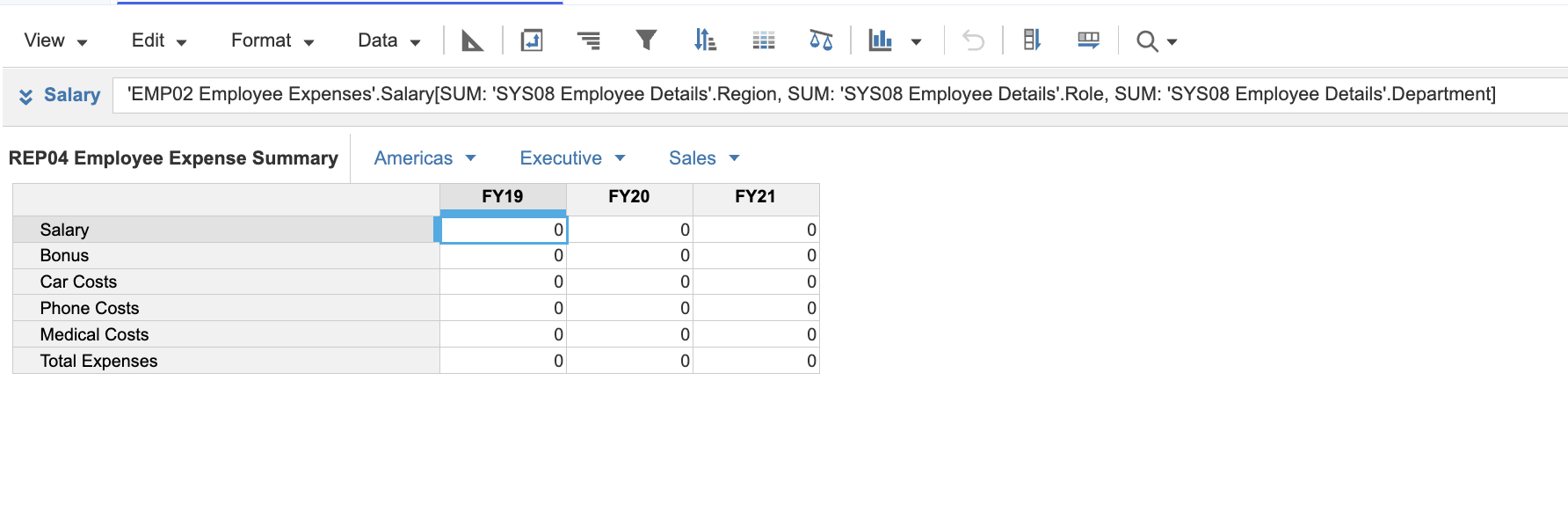
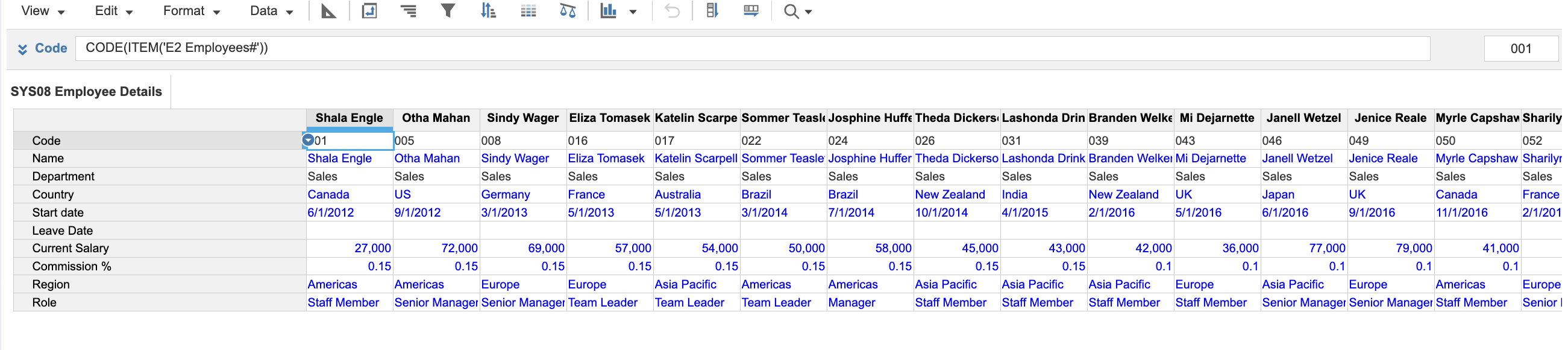
I believe i have the correct formulas here for the level 1 activity 6 question, however when i exit blueprint nothing is populated, i originally ran into the issue of having region and role not as lists but the formulas now all work and are able to be applied, scratching my head as to why nothing populates
@Erikapgar
Look at the summary method for the line items (in blueprint)….They are set to NONE…if you set them to SUM, you will see numbers at the aggregated levels.
Update: found it populates in the grid view when looking deeper but not on the year timescale
@Erikapgar remove Department Dimension then you should be able to see data
We've been building a tool called aplan4sheets and we'd genuinely like input from this community — both on what we've built so far and on what we should prioritize next. The problem we set out to solve: Anaplan's Excel add-in is Windows-centric, and there's no real native way to pivot Anaplan data in Google Sheets. We…
We are looking for Anaplan end-users to provide feedback on their experiences with the Excel add-in. Interested individuals will respond to this 5-minute survey to help us understand personal needs and behavior when using the add-in. The feedback provided by survey takers is essential to the roadmap of Anaplan's products.…
Estimated Level of Effort:4-8 Hours of Model Building Level of Difficulty: Beginner Recommended Training: L2 Model Builder Training Persona: Casual Model Builder Potential ROI: Decreased planning time Increased accuracy of targets/spreads You Might Also Like: * Historical Snapshotting Top-Down Allocations Whether it's…