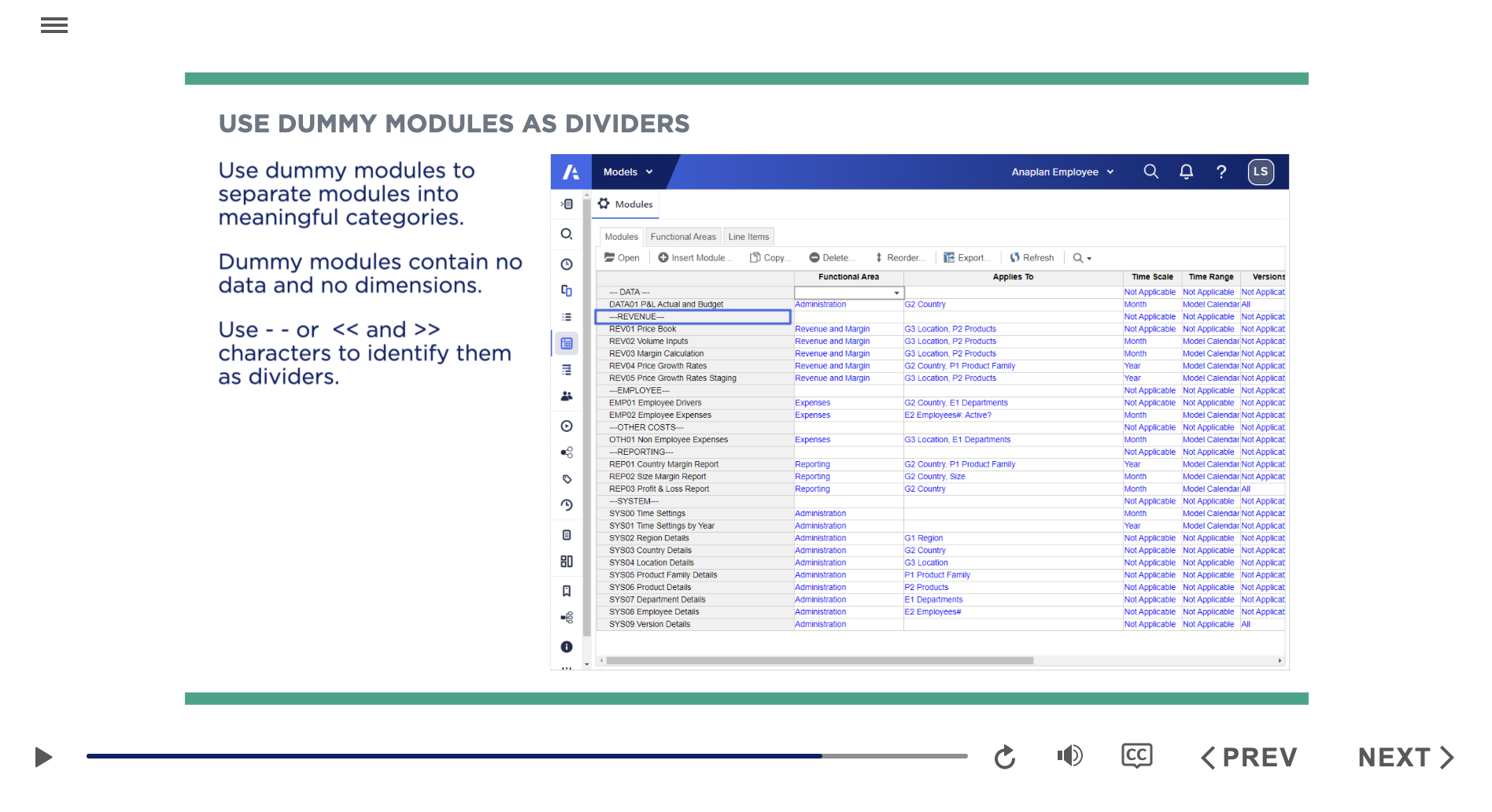
I am completing the Anaplan Level 1 Model Builders, and surprised the training recommends dummy data. Using dummy data is a red flag with auditors and should be added as an additional attribute in the system.
As far as I know, the creation of a dummy module is indeed considered a best practice at Anaplan, at least for now. However, in addition to the functional areas, I also use Data Tags to tag the module category, though the use of Data Tags is different.
One constraint is the Data Tag column will be in the right-most corner, whereas the functional area column stays first in the Classic UX. But I prefer NMX, which is still in Beta—here you can drag the Data Tag column to the first column next to the model name. We still have more things to come, but I'm not sure about the specific labels you mentioned. Feel free to post it on the Anaplan Idea Exchange; the Anaplan team might consider it💭
Know more about Data tags here I only used it in my testing and Training modules, our team still use best practices suggested by Anaplan (Dummy modules)
Hi everyone 👋 If you build or maintain Anaplan models, you've probably hit the same walls I kept hitting. Some basic questions about a model's structure have no single screen to answer them. You end up clicking through modules and pages one by one, or writing API scripts just to get a list. These were the gaps that…
Hi Everyone, We have a requirement in Anaplan Consolidation & Reporting (Fluence) where the Entity Structure needs to change effective January 2026. The key requirement is that the existing entity structure should continue to be applicable for all reporting and consolidation periods through December 2025, while the new…
We've been building a tool called aplan4sheets and we'd genuinely like input from this community — both on what we've built so far and on what we should prioritize next. The problem we set out to solve: Anaplan's Excel add-in is Windows-centric, and there's no real native way to pivot Anaplan data in Google Sheets. We…