Hey everyone,
I'm unable to import Shipping_Metrics.csv into my DAT02 Shipping Metrics module due to the following error message: Ensure the column headers in the import file map to the correct dimensions in your module, then run the import again.
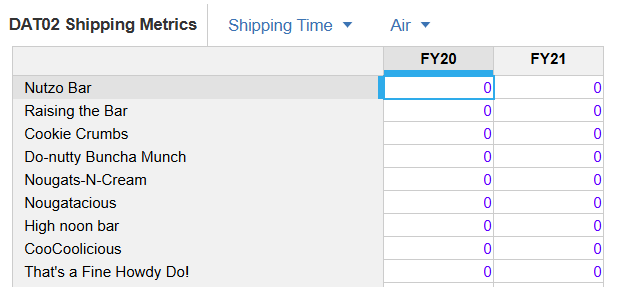
In the pre-created module, the time in the columns are FY20 and FY21 but in the data file I'm importing, they are FY25 and FY26.
Am I meant to change the time in the columns in the module to different years? I'm a bit unsure of how to do this in that case, as I can't seem to locate where this is done, especially since the module was already pre-created before Level 2 started?
The Time Scale for the module is set to Year and the Time Range to Model Calendar (Fiscal year is set to 2019-2020, which I have not changed)
Some relevant images pasted below. Thanks!
Image of module & time columns
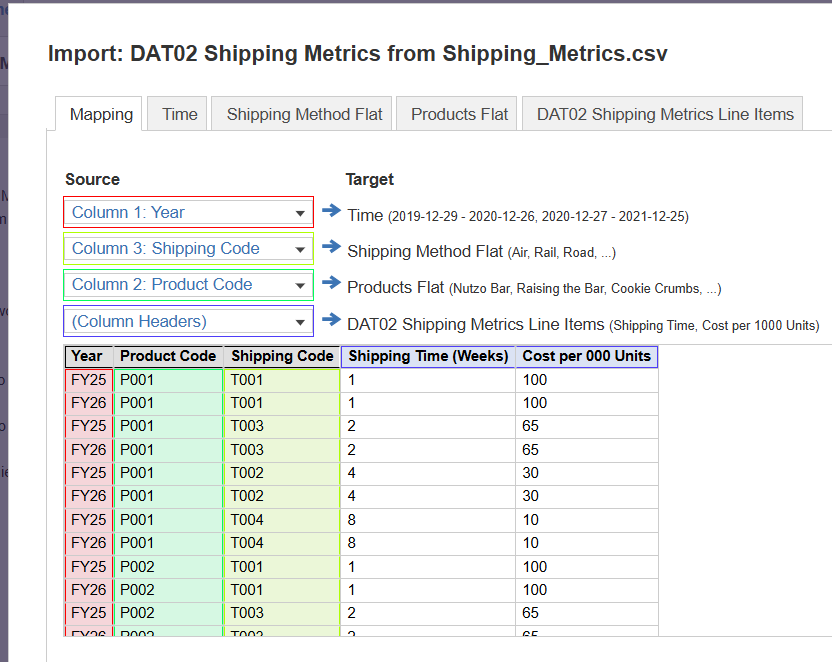
How I have mapped the import
Time settings for mapping

Error message

