Hi everybody, how to assign Connected Planning - Professional Users, Limited Users, and Workflow User in Anaplan
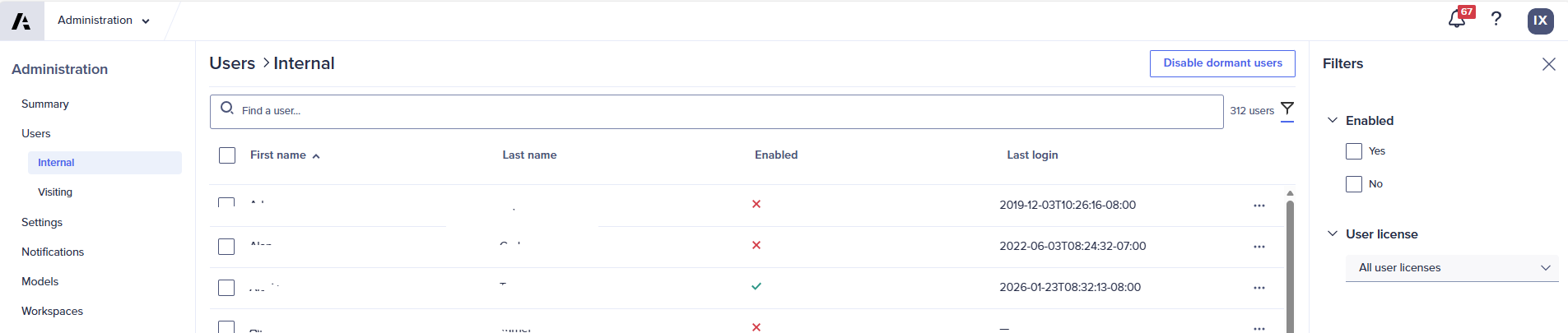
I navigate to 'Administration' but didn't find the place to assign the above mentioned roles.
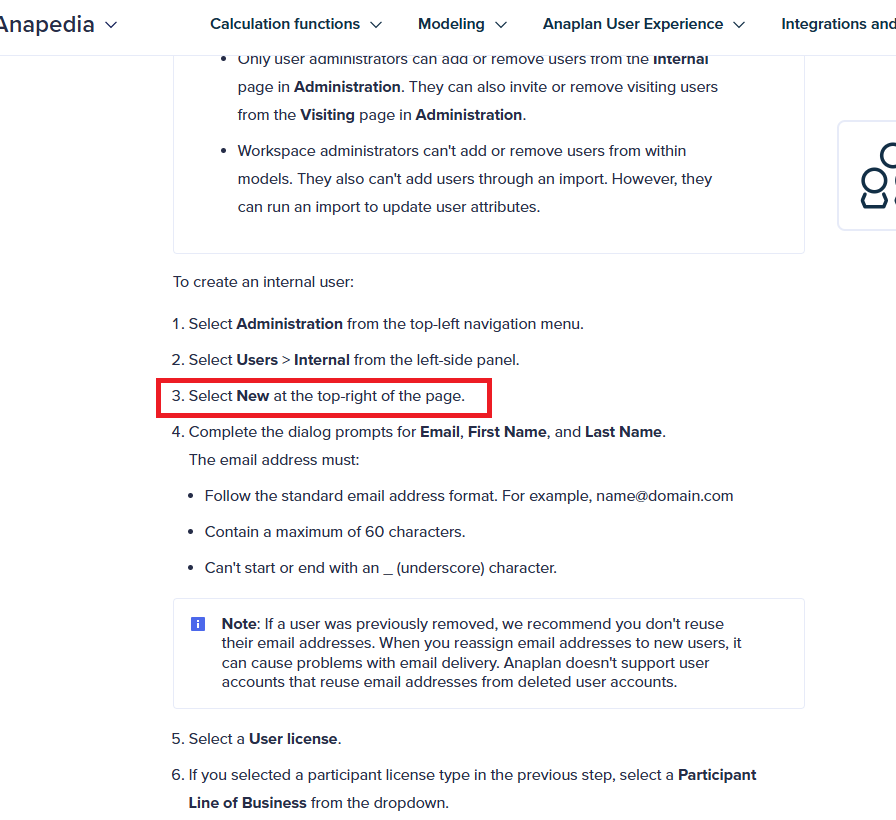
@IvyXu I believe these are license types in your tenant. Make sure you have Tenant admin/User admin role to do this. If yes, check here
Thanks Santhoshs, I'm the Tenant admin, and I would like to follow the linkage you shared to create new internal user and assign the role, in the Anapedia, it asked to select New at the top-right of the page, and in my screenshot, I didn't even find the New bottom. Could you please advise?
You can also add a user directly from a model, which will automatically create the user account. After that, you can edit the user and assign the appropriate license by selecting the user in internal users and edit option. Add users to a workspace from a model.
Regarding the missing option to create new users, please check whether other Tenant Admins or User Admins are experiencing the same issue. If they are facing the same behavior, please create a support ticket so the issue can be investigated further.
Hi everyone 👋 If you build or maintain Anaplan models, you've probably hit the same walls I kept hitting. Some basic questions about a model's structure have no single screen to answer them. You end up clicking through modules and pages one by one, or writing API scripts just to get a list. These were the gaps that…
Hi Everyone, We have a requirement in Anaplan Consolidation & Reporting (Fluence) where the Entity Structure needs to change effective January 2026. The key requirement is that the existing entity structure should continue to be applicable for all reporting and consolidation periods through December 2025, while the new…
We've been building a tool called aplan4sheets and we'd genuinely like input from this community — both on what we've built so far and on what we should prioritize next. The problem we set out to solve: Anaplan's Excel add-in is Windows-centric, and there's no real native way to pivot Anaplan data in Google Sheets. We…