Calculation Help - Is there a function or a way to count number of child of a list member
For eg, if I have State - City Hiearchy
How can I count how many city does a state have using a formula?
@sagarkpr
Yes, there are a couple of ways to do it…If you already have the hierarchy created (Cities rolling up to State), create a line item in a module named Count (formatted as number) and hardcode the formula to 1 with the summary defined as SUM. At the State level, you will have a total.
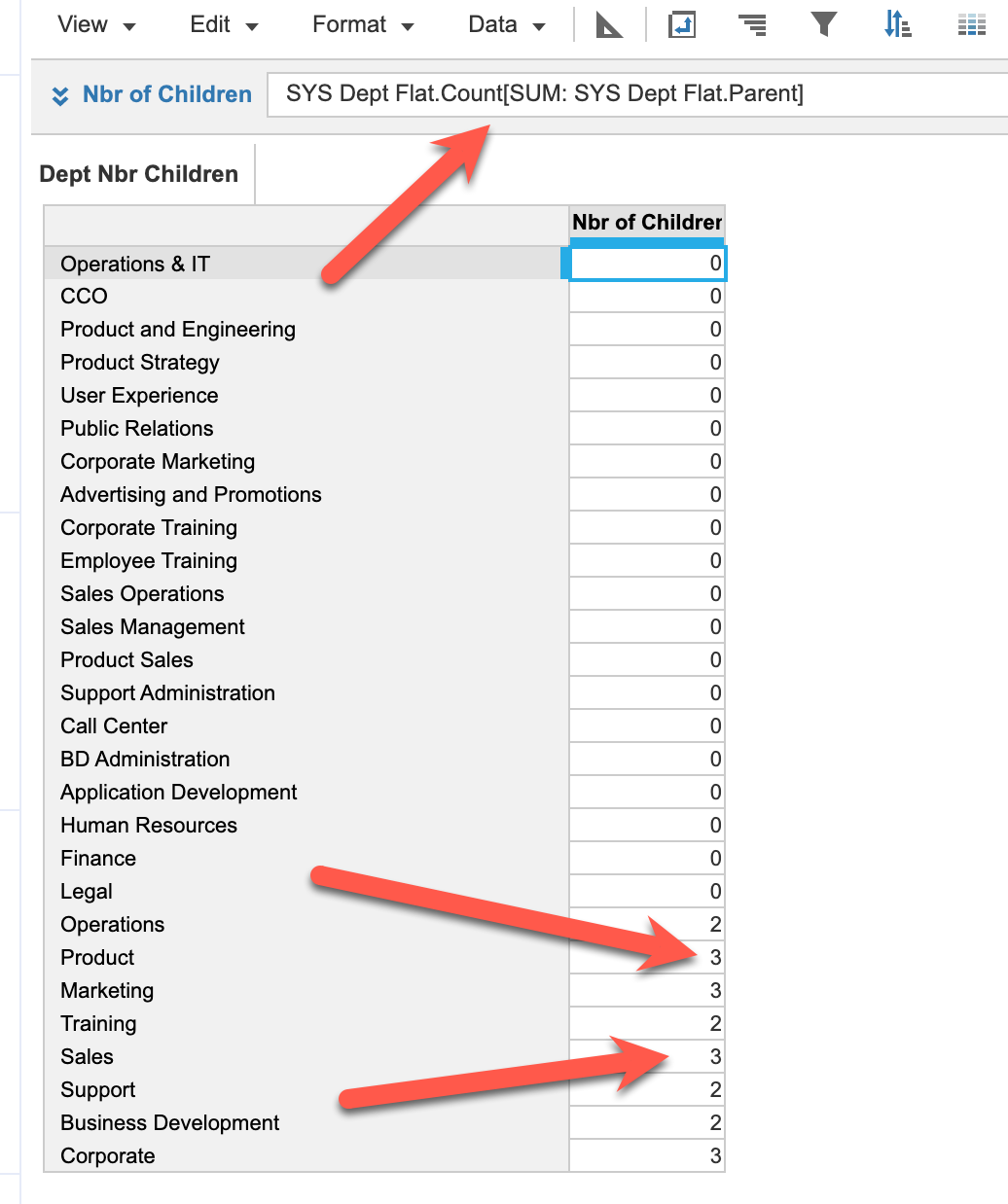
On the other hand, if you have all Cities and States in the same "flat" list, then in a SYS Module dimensionalized by that flat list, make sure you have a line item named Parent (which is loaded in from an action) and is a list formatted to the flat list, and the line item Count hardcoded to 1. In another module which is dimensionalized by the same Flat list, create a line item name Nbr of Children with the following formula: SYS Flat list.Count[sum:SYS Flat List.Parent]. This assumes your module is named SYS Flat List.
Flat List Module:
Calculation Module:
Got it, This is how I was thinking but wondering if there is a formula I could directly use. Thanks for help
Hi, I have a form action button that adds a L5 list item to a hierarchy. L5 does not have selective access but L4 does, but I still see all L4 list items in the dropdown when I trigger the form. How can I only view the ones I should have selective access to? L5 does not have selective access. L4 is also a selector on this…
For auditing purpose I need RTO and RPO details. Could you please share the details and also along with the source URL.
A quick reminder of the Bulk Copy functionality. Bulk Copy allows you copy large volumes of data from one slice of a model to another in a single, optimised operation, instead of using formulas or imports. Use case: copy a version (RF1) into a prior year version (PY RF1) using a versions list to allow for year-on-year…