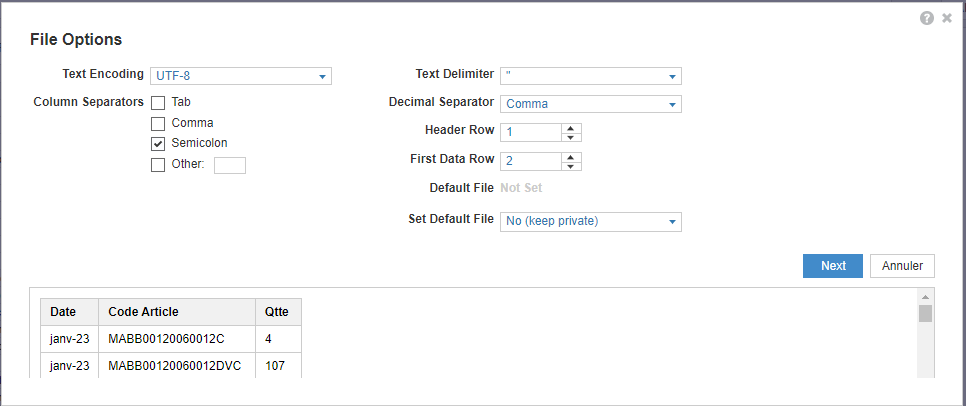
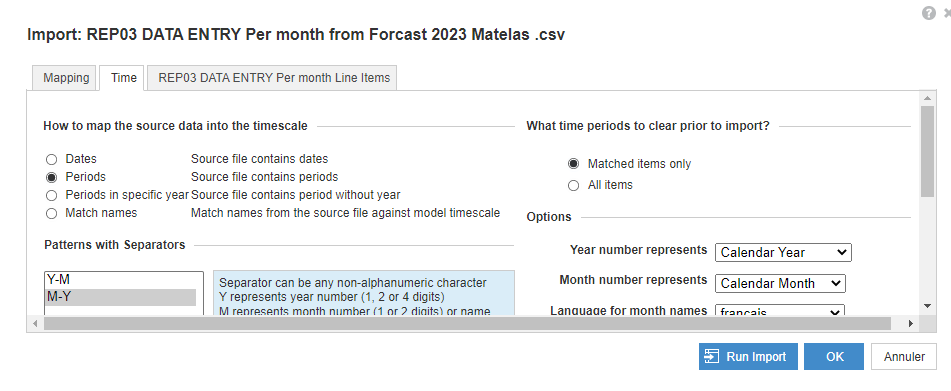
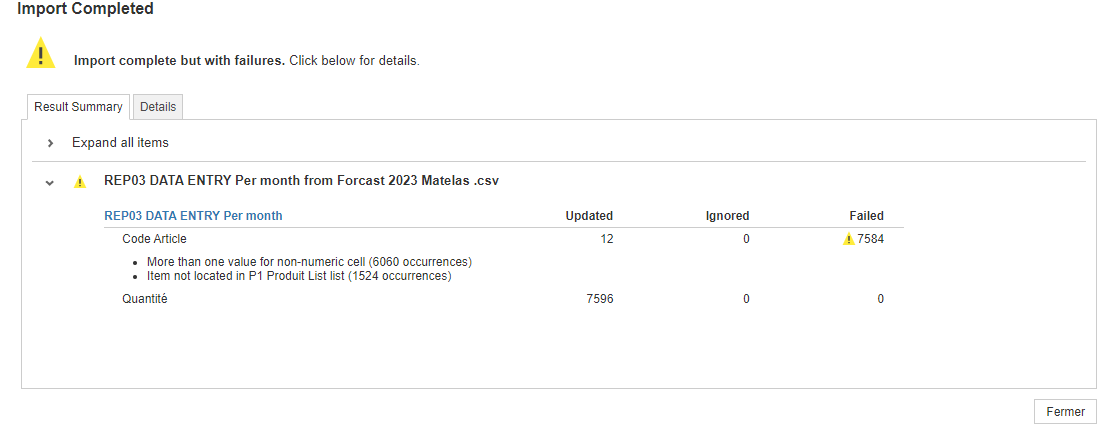
Hello everyone, I'm in need of assistance with a problem I'm facing. I have a module where I enter data (Product, Quantity). Everything was fine until I used the time dimension(Periode, Product and Quantity). However, the results are not accurate. Instead of giving me the quantity of Product X in January, it gives me the total : sum quantity of all products in January. I have already changed the summary to "none," but the issue persists. Please refer to the attached picture for more details.
Thanks in advance.
Hi @SAtrane
It is because of your time mapping, you are using "Janv-23" and asking anaplan to map it to "M-Y" format.
Anaplan can map "Jan-23" to "M-Y" format. You need to remove v from your time list.
Cheers!!
Can you also share the mapping tab screenshot
Hi @Himanshu1998
I followed your recommendation, but unfortunately, it didn't resolve the issue. I have attached some pictures for further clarification.
Hi @ - decimel separator? Should be dot not comma I would think.
Also what does the file look like before loading? It might be to do with how anaplan is seeing the data.
hi @Himanshu1998
Attached is the mapping table screen you requested. However, the problem still persists.
hi @andrewtye
Thank you for your response. I believe the source table may not be the issue as it is an Excel file that I converted to CSV format.
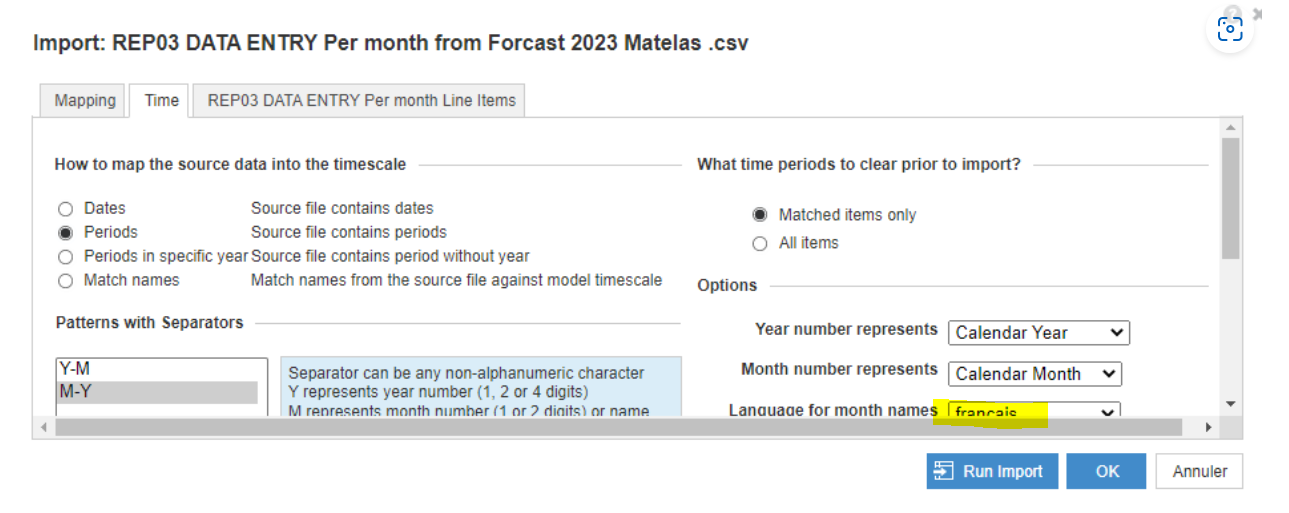
Have you changed the time mapping tab settings here? Language to francais? This could possibly be causing issue. You should reset it back to english(or what it was earlier) and then try again
I followed your recommendation, but unfortunately, the probleme still persist. I have attached some pictures for further clarification.
Hi all, The Client ID and Client Secret are available, intended for uploading and downloading files. Could anyone advise how to use these credentials DIRECTLY to make API requests? Thank you!
I have A6 as the parent list and two sibling lists: A6.5 and A7. The A7 list includes an attribute that maps to A6.5. In the UX, the user will select A6.5 using a content selector, and the grid (dimensioned by A7) should display only the A7 items associated with that selected A6.5. Since the selector is a page context and…
A quick reminder of the Bulk Copy functionality. Bulk Copy allows you copy large volumes of data from one slice of a model to another in a single, optimised operation, instead of using formulas or imports. Use case: copy a version (RF1) into a prior year version (PY RF1) using a versions list to allow for year-on-year…