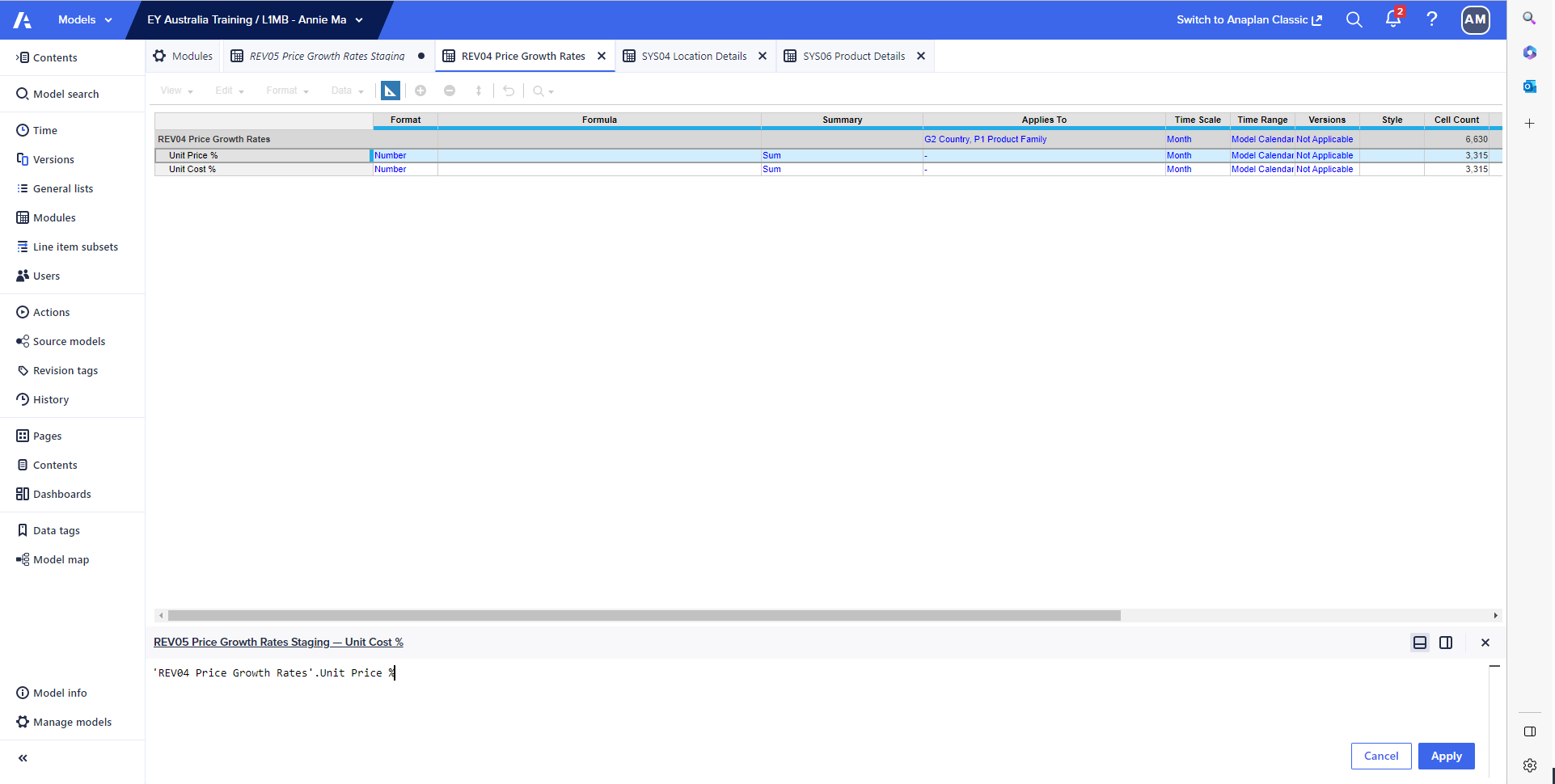
I am getting an error message telling me my formula is invalid :(
Hi @AnnieMa , Please find the observations below:
Step 1: Change the time scale to "Year" in Rev04 Module.
Step2:Change the time scale to "Not Applicable" in Sys04 Module.
Step3:Change the time scale to "Not Applicable" in Sys06 Module.
Step4:Change the time scale to "year" in Rev05 Module(Also make sure you have taken G3 Location, P2 Products as dimension in Rev05 Module)
The formula seems to be fine but the time dimension is different in above mentioned modules.
'REV04 Price Growth Rates'.Unit Price %[LOOKUP: 'SYS04 Location Details'.Country, LOOKUP: 'SYS06 Product Details'.Product Family]Hope this helps. Attaching screenshots for your reference.
Regards, Venkatesh
Hi Venkatesh, I've now set REV04 & REV05's time scales to "Year".
I've also set SYS04 & SYS06's time scales to "Not Applicable".
I still received the error: Dimension of mapping used for lookup doesn't match any dimension of the result.
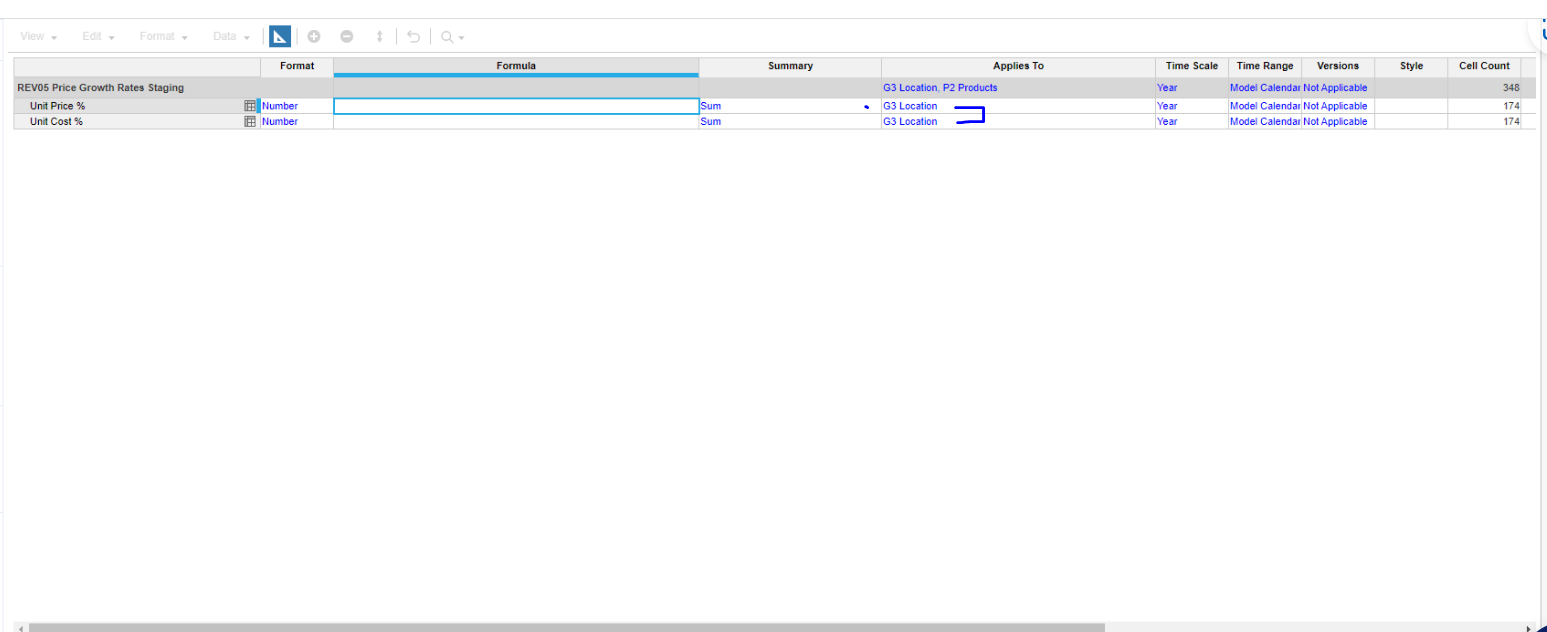
I have noticed that REV04 applies to "G2 Country" & "P1 Product Family" while REV05 applies to "G3 Location" & "P2 Products" Would this be causing the issue?
Hi @AnnieMa , Yes REV04 applies to "G2 Country" & "P1 Product Family" and REV05 applies to "G3 Location" & "P2 Products". Can you share the blueprint view of the Rev05 module? Regards, Venkatesh
Hi @AnnieMa , you are getting that issue is due to subsidiary view you have given for your line items remove(Highlighted) G3 location in applies to for "unit cost %" and "Unit price %". Attaching image for reference.
Hope this will work now :)
Hi @AnnieMa , That is expected as there is no data in Rev04 module. Because of that you are getting no values in Rev05. Try entering some data in Rev04 module check the data in Rev05 module. Regards, Venkatesh
Yeah sure :)
THANK YOU so much Venkatesh!! It worked :)
I just noticed that once I left Blueprint View, the numbers didn't change…
Oh okay, thanks Venaktesh
Hi! I would like to propose the creation of a new Administrator role within Anaplan. Currently, the only way to manage users within a model (outside of the Administration tab) is by assigning the Workspace Administrator (WA) role. However, the WA role requires a Model Builder license, which is significantly more expensive…
Hi everyone, I am trying to create a connection ADO from PostgreSQL, but I consistently receive the following error: Failed to establish a connection The following message was sent from the target system: The SSL certificate is either invalid or not in unencrypted PEM format. Please check your certificate and try again.…
A quick reminder of the Bulk Copy functionality. Bulk Copy allows you copy large volumes of data from one slice of a model to another in a single, optimised operation, instead of using formulas or imports. Use case: copy a version (RF1) into a prior year version (PY RF1) using a versions list to allow for year-on-year…