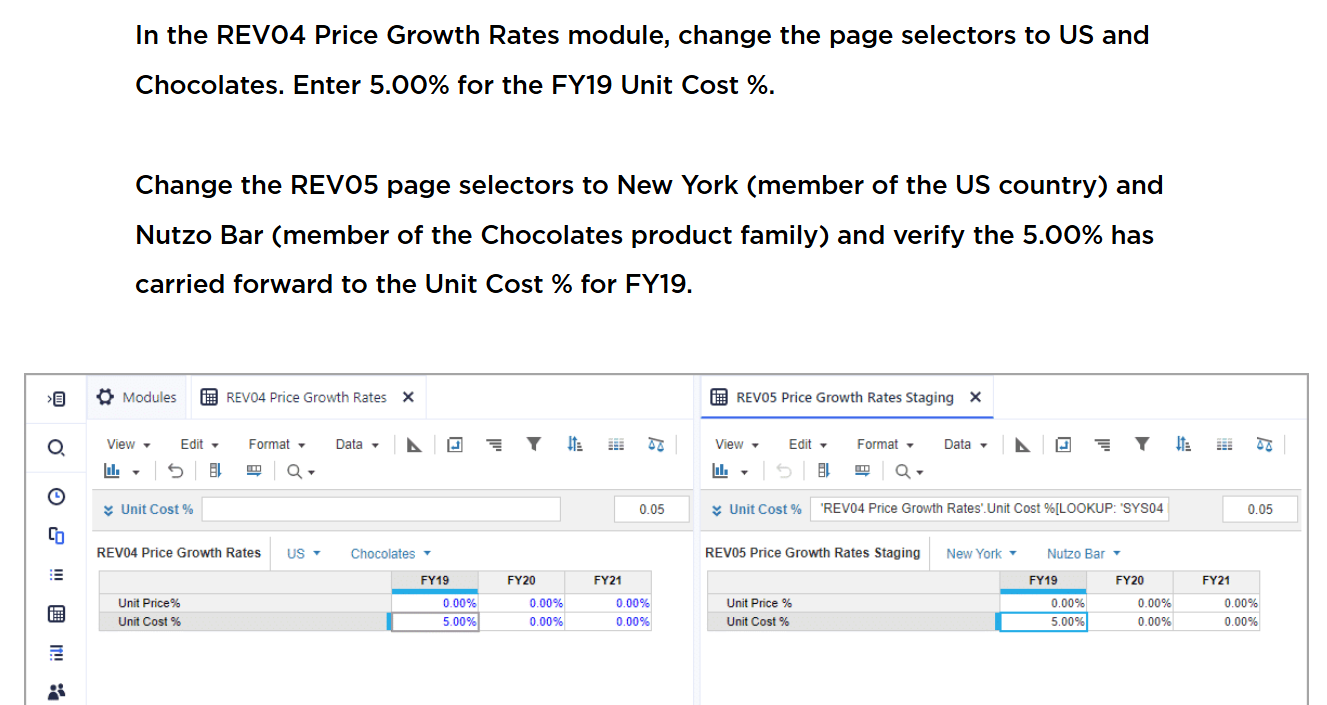
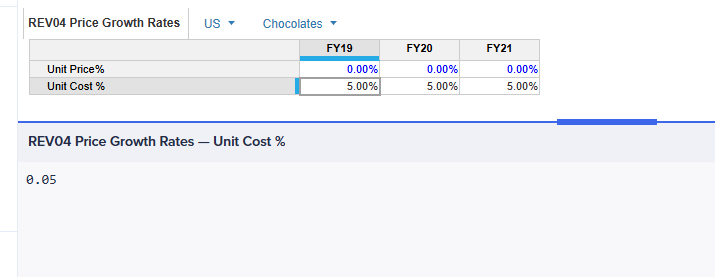
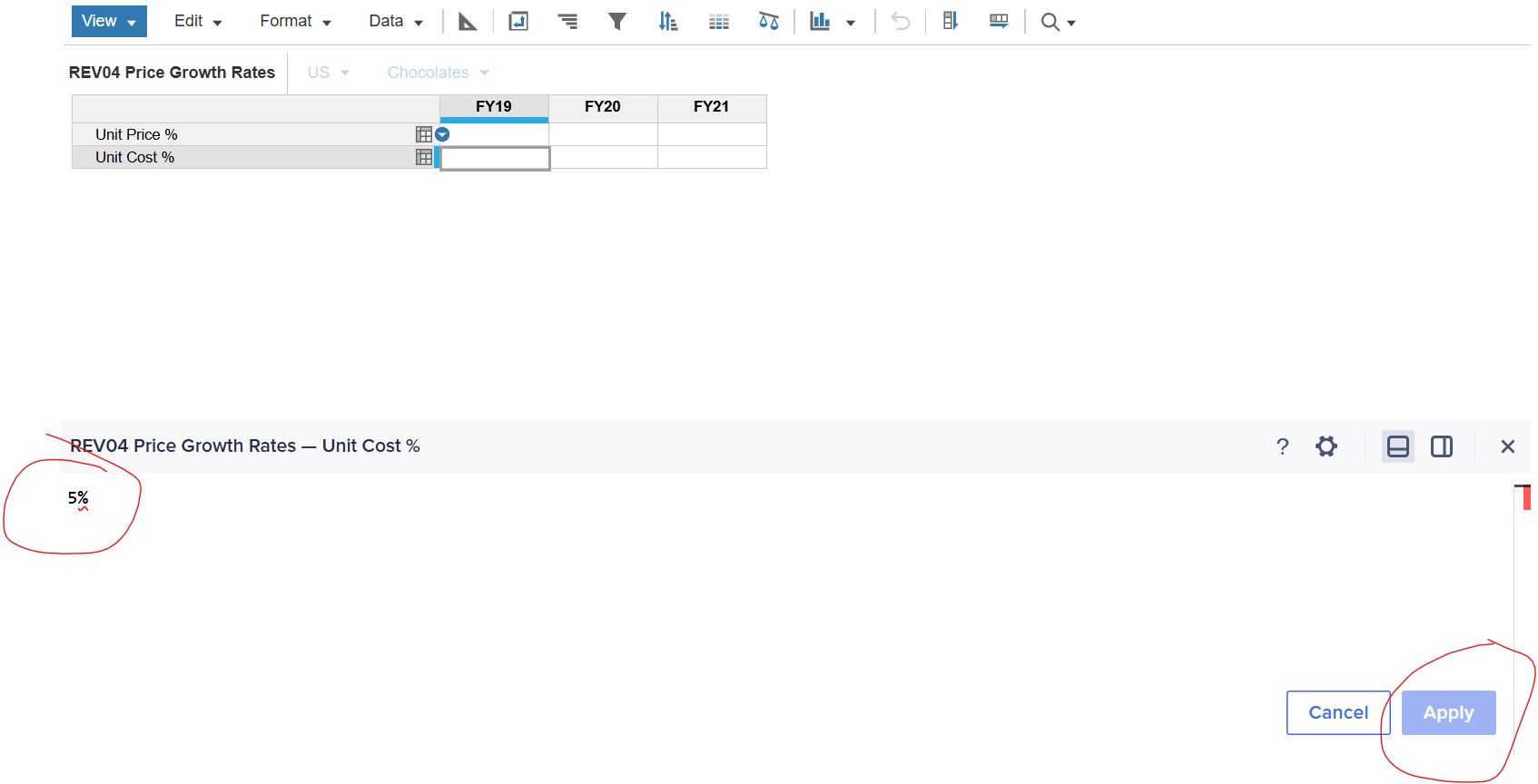
In this activity, 1st step is Add Formulas to REV05 Price Growth Rates Staging Module, I did it in REV05, and then based on the instruction, I need to enter 5% for the FY19 Unit Cost% in REV04, but i didn't find way to input the 5%
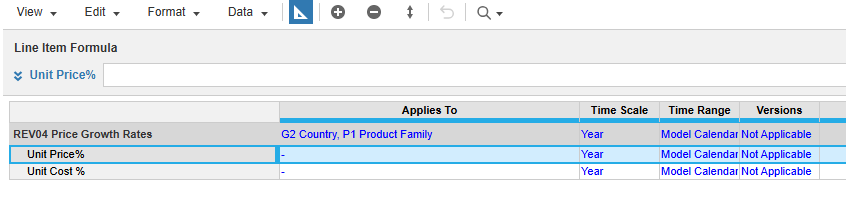
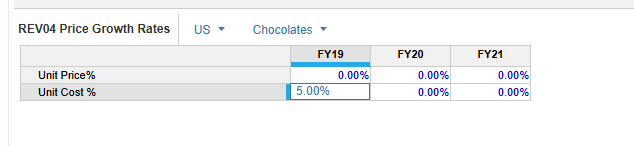
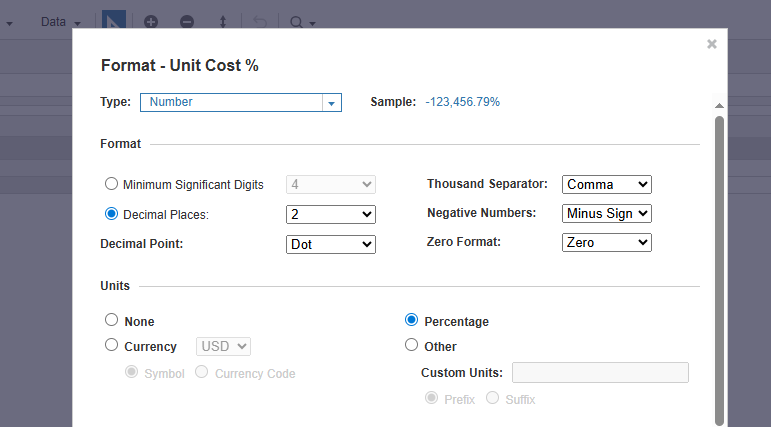
Hi @IvyXu , There are two key things that need to be corrected for the required Input:
-
5%
The below snapshot shows the wrong Input made from formula bar:
Hope this helps! 😀
Hi @IvyXu , Based on the screenshots from your model, I can see that the input value (5%) in REV04 has already been entered as required (If that's not the case then please share more information/ snapshot of your REV04 module). The next step is to validate whether this value flows correctly into REV05 using the formula you've applied; which I can also see is working as expected. If there's anything else you can share screenshots from your build to make the ask more clear.
Hi @Prajjwal88,
the screenshot you saw in my last post is the instructions from the academy learning course, which requires me to input 5% in the FY19 Unit Cost%, however I don't know how to do that, I tried to input 5% in the Edit, but it doesn't allow me to apply
Has anyone tested Analyst’s response quality/speed on large, sparse models (think 10+ dimensions, millions of line items)? Wondering if there’s a practical ceiling before it starts timing out.
We've been building a tool called aplan4sheets and we'd genuinely like input from this community — both on what we've built so far and on what we should prioritize next. The problem we set out to solve: Anaplan's Excel add-in is Windows-centric, and there's no real native way to pivot Anaplan data in Google Sheets. We…
We are looking for Anaplan end-users to provide feedback on their experiences with the Excel add-in. Interested individuals will respond to this 5-minute survey to help us understand personal needs and behavior when using the add-in. The feedback provided by survey takers is essential to the roadmap of Anaplan's products.…