Author: Werner Priels is Product Manager at Anaplan, focusing on Financial Consolidation.
When managing multiple data interactions in Anaplan FCR, having a clear and transparent audit trail is not just a nice-to-have; it's a necessity.
The out-of-the-box drillthrough feature is a powerful tool that provides deep insight into your data's journey, allowing you to trace values back to their source.
This guide will walk you through the necessary configuration steps to enable this feature and explain how to interpret its valuable output.
Core configuration steps
To get started with drillthrough, you need to enable three key settings.
First, ensure that "Extended drillback" is activated within your consolidation model's settings.

Next, open your XL Workbook options and navigate to the Connections section.
You need to set the drillthrough type specifically to drillback.

Finally, activate “Track Data Import” flag in your Import Workflow task to capture and store Staging Table information like Source Field Values.

Once configured, the drillthrough feature becomes particularly insightful when you perform "load and overwrite" actions that include manual writeback input.
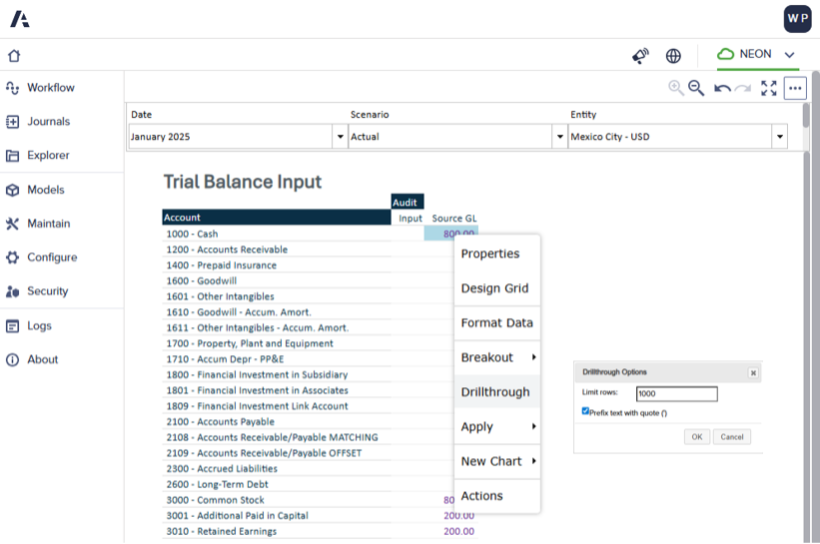
When you use drillthrough, you will be presented with a detailed comparison showing the Source Values from your staging table alongside the final information in the fact table, for Import data as well as Writeback.
This provides a clear view of data changes, offering an immediate and effective audit trail.
Some highlights — for the same data point, you will see:
- What was the source (Import or Writeback)
- When it was performed
- By which user (for Writeback)
- What was the source dimensionality (for Import)
- To which target it was mapped (for Import)
- What was the old and new amount (for Writeback)
Examples
Import


Writeback

Import + writeback


Important note on how import method impacts the audit trail: when you import data, the audit trail will be reset.
The feature's main enablement is to keep track of the old versus new values for manual writeback inputs, after data import.
Questions? Leave a comment!