
Author: Hillary Sich is a Certified Master Anaplanner and Senior Manager at Accenture.
Do you actually enjoy creating end user documentation for the models we build? Are you creating end user documentation as a Word document with multiple screen shots per page? If so, then this article is NOT for you!
Why not leverage Anaplan for end user documentation?
Pros:
- Never outdated
- Faster to create than word docs with screen shots
- Minimal model building
- Minimal impact on model size
Cons:
- Be aware of Report Manager display limitations
- Must be built within the Model where the App pages live if you want to be able to link pages
- Forces detail instructions on App Pages
Not convinced? I am not offended!
Here is what you need to build the documentation:
Three lists
- Pages (Create a list of pages to document)
- Activities (What can be done on the page)
- Topics (What to include on the documentation page such as Role, Purpose, etc)
Six modules
- Three properties modules, one for each list
- Topics x Page
- Activities x Page
Three UX Pages
- Page details
- User documentation set up
- Report Manager as output
Still interested?
Here are the Blueprints…
DOC01: Page Properties

DOC02: Topic Properties

DOC03: Activities Properties

DOC04: Topics by Page

DOC05: Global Documentation

DOC06: Activities by Page (Used only for filtering in UX)

What is that? About 15 minutes of build time? Totally worth it!
Use your imagination when creating the three UX pages (no screenshots here).
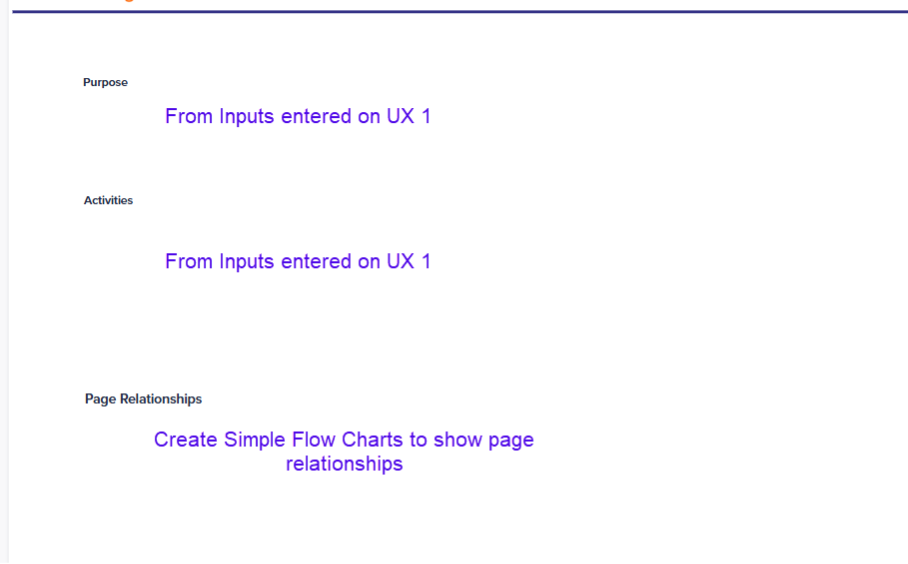
UX 1: Page details: More of an end user page to input details to include in the output Page. Include links to model flows, Page links, Text for Purpose and activities, etc.
UX 2: User documentation setup: More of an Admin page to maintain lists.
UX 3: Main output of all of your hard work. Here is a short lists of slides that could be included:
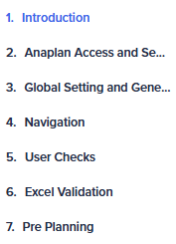
Slides 1-5 are examples of global information.
Slide 7 is used as a landing page with links to pages by App category
.
Slide example dimensioned by Page:
End user documentation is an important and valuable deliverable for all clients. Leveraging Anaplan to produce maintainable, professional documentation is now easier than ever!
What tips would you add? Leave a comment!