You've spent days carefully crafting your model, eagerly awaiting that satisfying moment when the optimal solution appears, only to be met with the dreaded message: infeasible 😱

The excitement turns into a classic plot twist worthy of a detective novel.
But don't worry! Here we have 3 practical tips to help you figure out why your model can't find a solution. So grab your detective hats, channel your inner Sherlock, and let’s go hunting for those sneaky constraints 🔍
⏩ Speed up execution - If it takes a long time to determine that your model is infeasible, you can speed up the search changing the problem to find a feasible solution. This will remove the objective function from the model.
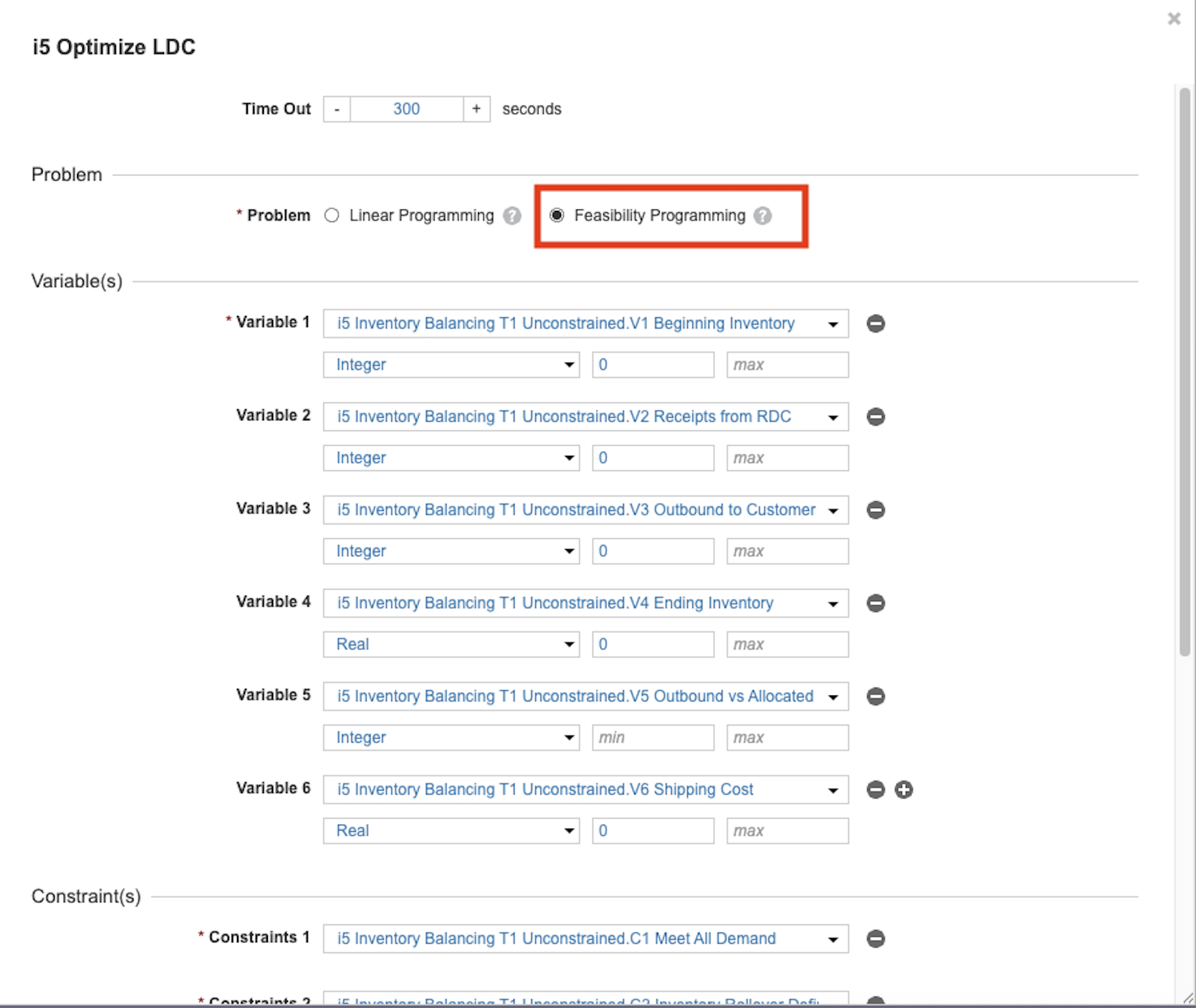
🔍 Disable some constraints - Create boolean switches to temporarily turn off certain constraints. This helpful trick lets you systematically identify which specific constraints are presenting challenges, bringing you one step closer to a solution.
- Create a model with disabled constraints, with a line item for each constraint. This simple step helps clarify the process and keeps your troubleshooting focused and organized.
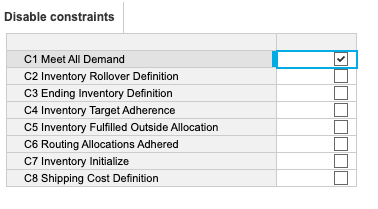
- Update your constraint formulas to: <disable constraint> OR <constraint>. For example: DisableConstraints.'C1 Meet All Demand' OR ('V3 Outbound to Customer' = Optimizer Demand by Customer). In this formula, if the disabled constraint switch is True, the overall statement is always satisfied, making the constraint inactive.
Explanation: Since all constraints must be True, if the boolean is True, the constraint is automatically satisfied, so the Optimizer ignores the equation. The Optimizer only checks the actual constraint if the boolean is False. This empowering method makes it easy to isolate which constraint is causing infeasibility, giving you control over your modeling process. - Now you can disable the suspect constraint and run the optimization to check if the model has any feasible solution.
💡 Check solution feasibility - If you have a previous solution or a good guess, use the modeling interface to check which constraints are violated. This can quickly point you toward the problematic constraints.
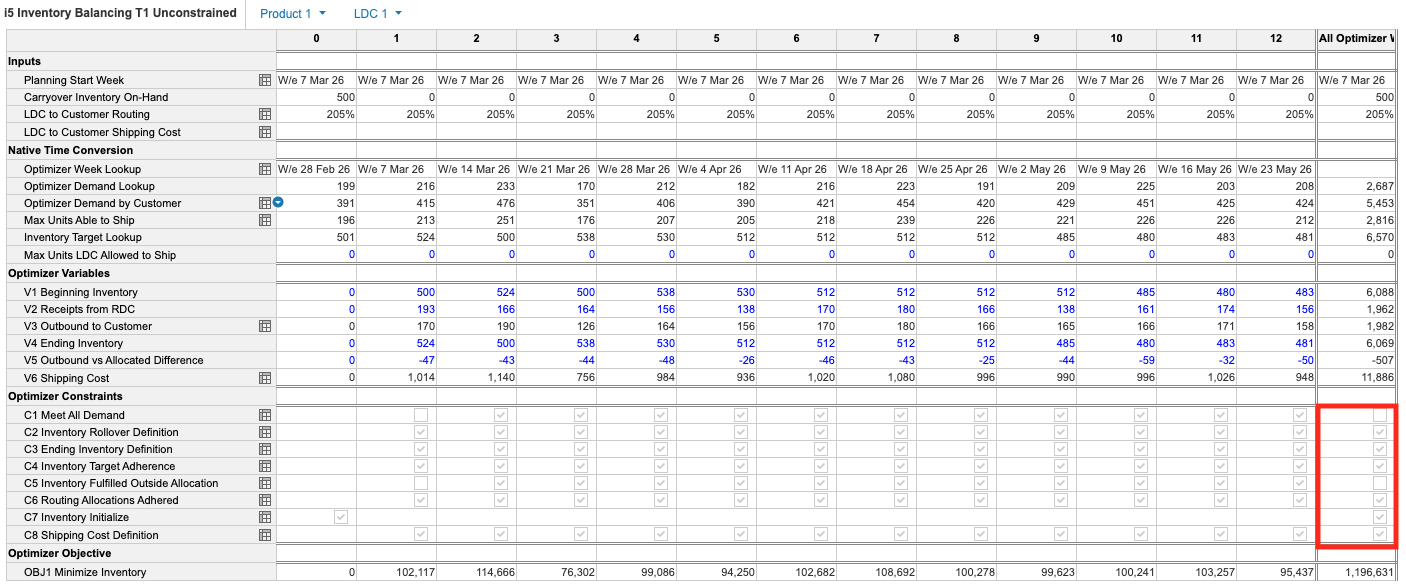
- All constraints must be satisfied for a solution to be feasible. In the summary, it's clear who is guilty. In this case, C1 Meet All Demand and C5 Inventory Fulfilled Outside Allocation are responsible for making this solution infeasible in the current model.
- Now that you’ve unmasked the main suspects. Dig into the constraint dimensions to pinpoint the source of trouble. In this case, you can see that the mystery leads straight to week 1 inputs.
Remember, every clue you uncover brings you closer to cracking the case 🕵️♂️