
Author: Casey Pham is a Certified Master Anaplanner and Director of FP&A Systems at Yext.
In this ‘How I Built It’ video I'll show how I built a model and process to run a sensitivity analysis. Tens or hundreds of scenarios without overloading the model with too many scenario list items and manually updating driver inputs over and over.
What is a sensitivity analysis?
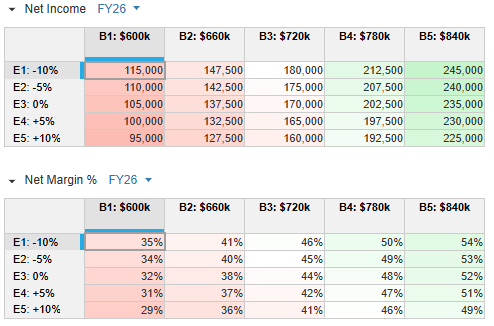
A sensitivity analysis is similar to a what-if analysis to see how changes in one variable affects the outcome in another. It helps to understand risk, identify key drivers, and insulate the impact of different factors. In this simple example, we see how different bookings forecasts (columns) and different expense drivers (rows) will affect net income and net margin after it runs them through a revenue model and P&L statement.
The 'How I Built It' video is below, but first here are the steps I took.
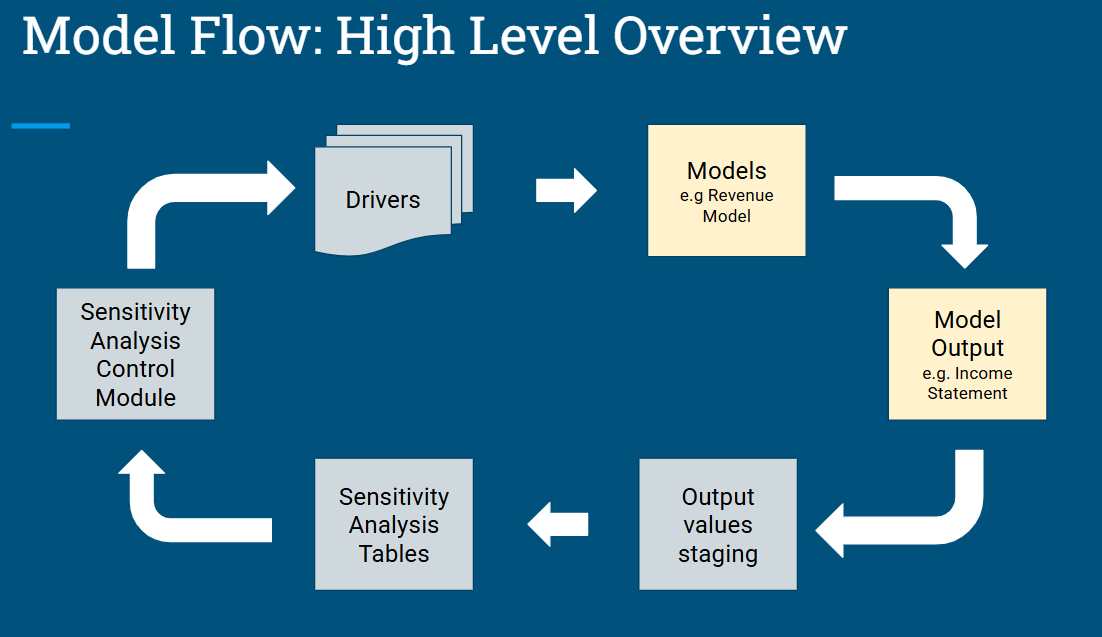
Steps and components
Step 1
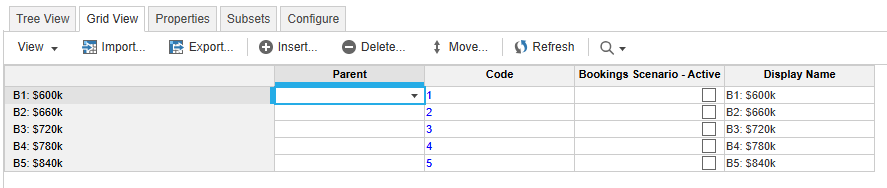
Set up a list for each driver with the number of scenarios you want for each one. The list item code must be numerical and sequential. Create a subset for the active scenario (will explain later on)
.
Add a corresponding module to input the drivers in for each scenario.
Step 2
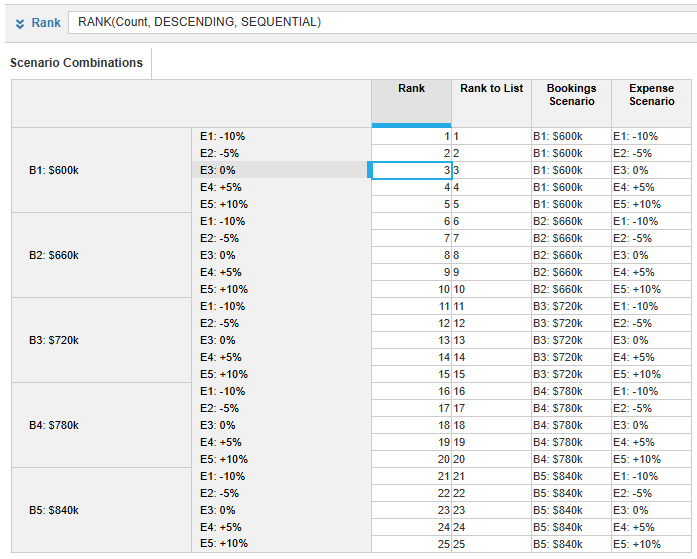
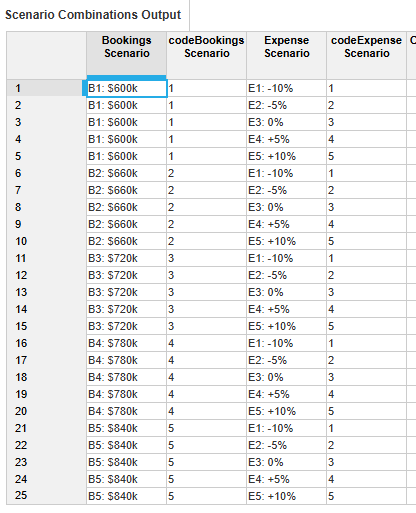
Create an index list, a numerical list. At a minimum it should be the number of scenario combinations you have. e.g. 5 bookings and 5 expense scenarios equals 25 combinations
Create a module that will assign a number to each scenario combination, via rank function, then finditem it to the index list.
Step 3
Create a control module that will be used in the integration process to know which combination of scenarios to calculate.
Step 4
Set up actions and combine them into a process:
- Import scenario drivers into their applicable model.
- In each scenario list, clear the active subset and mark the current active scenario.
- Export the model results into the a staging table that only has the active subset of scenarios.
- Export the results from the staging table to the sensitivity table.
- Increment the scenario number parameter to the next one.
Repeat from step 1 as many times as the number of scenario combinations you have. Alternatively, use Anaplan Connect and a script that you can set the number of times to repeat the same process.
'How I Built It' video
Questions? Leave a comment!
……………
See all 'How I Built It' tutorials here.
