
Author: Chris Stauffer is the Director, Platform Adoption Specialists at Anaplan.
My kids and I enjoy code-breaking games, and so I wondered if I could build one in Anaplan. Over the years, there have been many versions of code breaker games: Cows & Bulls, Mastermind, etc.
The object of this two-player game is to solve your opponent’s code in fewer turns than it takes your opponent to solve your code. A code maker sets the code and a code breaker tries to determine the code based on responses from the code maker.
I came up with a basic working version last year during an Anaplan fun build challenge. Here's a short demo:
If you would like to build it yourself, the instructions on how the game works and how to build it are below.
Game start: Code maker input
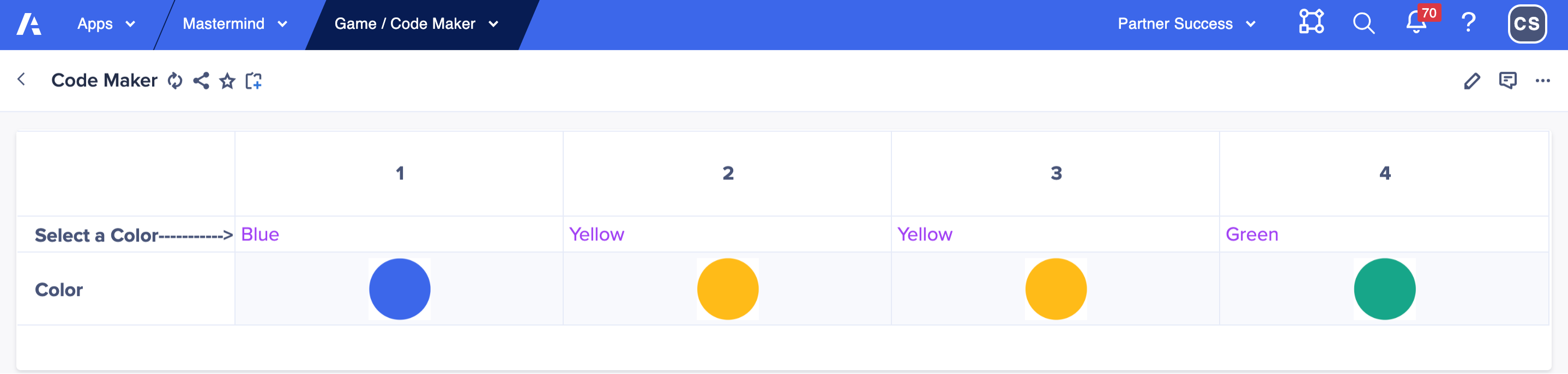
Player 1 code maker starts the game by going to the code maker page and choosing a secret four color code sequence using a grid drop down list. Code makers can use any combination of colors, including using two or more of the same color. You could set up model role and restricting access to this page using page settings to ensure the codebreaker cannot see this page.
Player 2 code breaker input
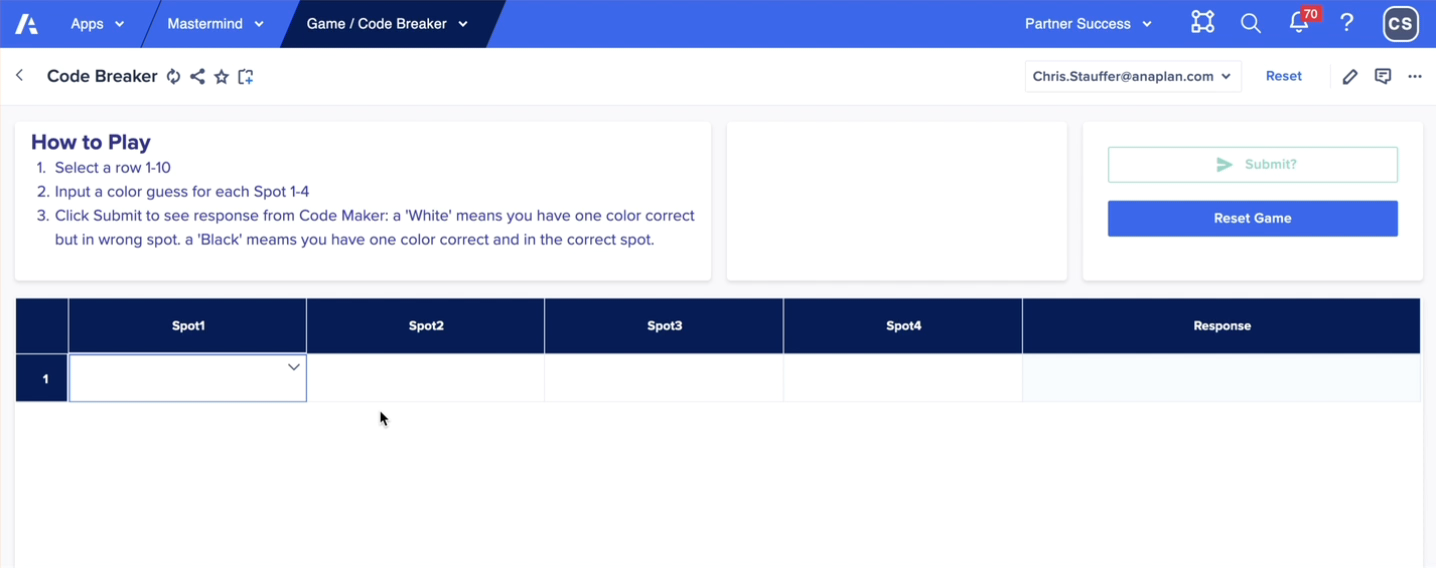
The code breaker chooses four colors in the first row attempting to duplicate the exact colors and positions of the secret code.
The code breaker simply clicks the first row in the grid, uses a list drop down to make color guesses and then clicks the Submit? button. A data write action writes a true boolean into the code breaker module to turn on the module logic checking, turns on DCA to lock the row submission, and provides an automatic calculated code maker response. Unlike the real board game, the code maker does not have to think about the response nor drop those tiny black and white pins into the tiny holes in the board — the calc module does the work automatically and correctly every time! I’ve been guilty of not providing the correct response to a code breaker attempt which can upset the game and the code breaker.
First guess
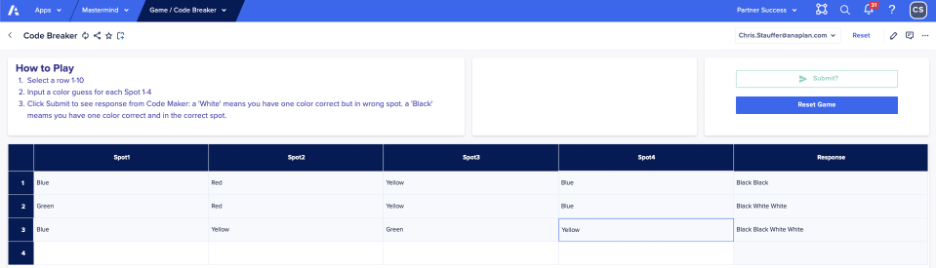
Below the code breaker selected blue-red-yellow-blue and clicked the Submit button. Since two guesses are the right colors AND in the right column position, the calculated response is “Black Black”, telling the code breaker that two guesses are in the correct position and are the correct color.
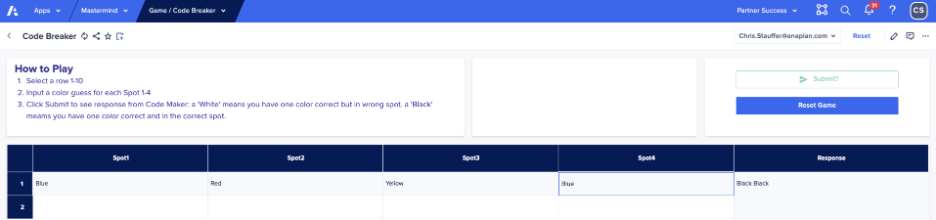
A black color indicates a codebreaker has positioned the correct color in the correct position. A white color indicates a codebreaker has positioned the correct color in an incorrect position. No response indicates a color was not used in the code.
Second guess
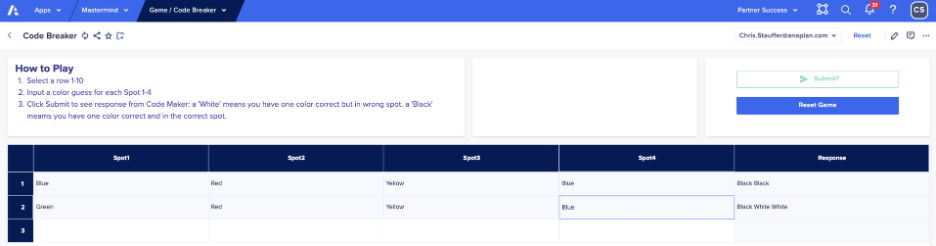
In the second row, the code breaker input green in Spot 1, but kept red-yellow-blue and now only has one color in the correct position (yellow spot 3), but gained insight that there are now three correct colors with two in the wrong position thus the black-white-white response.
Third guess
The code breaker selected blue-yellow-green-yellow and now has all the correct colors with only two out of position.
Fourth guess
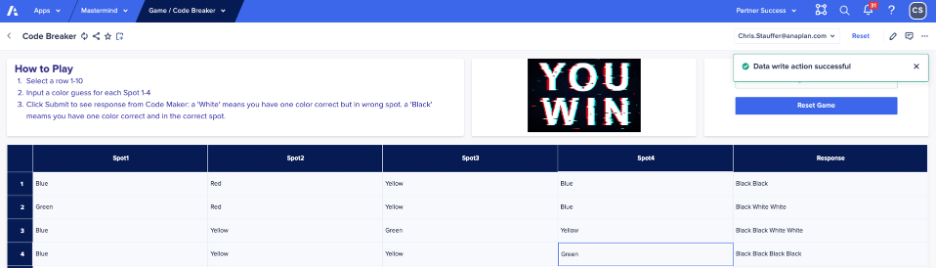
You have to be a little lucky to break the code on the fourth guess, but hopefully by now you get the idea of how the game works in Anaplan.
The winner of the game is the player that solves the code in fewer guesses than the other player, so each player takes a turn as code maker and code breaker.
Conclusion
The model uses a lot of conditional formulas, text functions (&, MID, ISBLANK, FIND), and custom matching logic, to identify right color and wrong position matches (white) and right color right position matches (black). A very simple couple of UX pages makes it easy to allow for two player game. You’ll have to create the model roles for code breaker and code maker and set up the page security settings.
Attached is the line item export in case you are curious or want to build it yourself. There are probably multiple ways to build the logic or make the formulas more elegant, but it was for me a fun diversion.
Enjoy!