Author: Vinay Varadaraj Mirajkar is a Certified Master Anaplanner and Senior Solution Architect at Anaplan.
Imagine you are modeling inventory projection in the classic engine with below assumptions:
- Large number of products and locations
- Planning horizon with daily buckets (let’s say 60 days)
This is very common in use cases such as production planning where planning at daily granularity is necessary, albeit for a short planning horizon.
Let’s consider a simple example to illustrate the use case:
- There would be ‘On Hand’ inventory of a certain combination of Product x Location (could be raw material, finished good etc). This would be fetched in Anaplan as part of source data.
- Consumption would be projected usage of that item for the future planning horizon. This would come from a previous planning step in the overall process.
Now, our goal is to project the inventory into the future periods by considering the On Hand inventory and consumption of each day.
Easy, quick, but dirty solution
A very easy approach that could be as taken is as shown below:

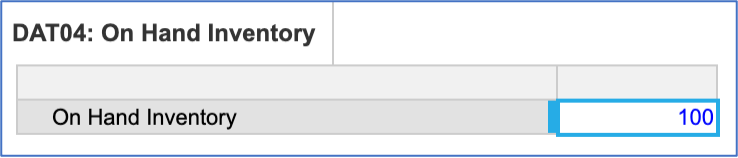
Here, the opening inventory for 1st Nov comes from source data (On Hand inventory) as shown below:
Closing inventory = Opening Inventory – Consumption
Opening inventory for 2nd Nov = PREVIOUS(Closing Inventory)
However, given the large number of products and locations with daily granularity, the model size could become very high, due to the fact that this construct needs at least two years of timescale in daily bucket (imagine you are standing on 31st Dec 2025, and you would need to do the projection for 1st Jan 2026. This amounts to 730 days, excluding any summaries).
The alternative
We can achieve the same results using a custom timescale (with some intermediate transformation with native time) using just the number of planning buckets needed, which in this case is 60 days.
Now, let’s explore the steps needed to build it.
Step 1: As a first step, we need a system module which maintains current date, which should be updated on a daily basis:

Step 2: In this step, we build a custom time list with below configuration:
- Numbered list with just the number of periods needed for planning (in this case 60)
- Display Name as a date, which is connected with current date so it is dynamic
This list will represent our planning horizon required for the use case:

Step 3: The next step is to create a time range which can have 60 periods (5 yrs x 12 months), as shown below. The purpose of this time-range will be to use it in an intermediate module where we can apply the PREVIOUS function.

Step 4: We then need to create mappings between custom time and Anaplan months so we can use these to perform LOOKUP operations when necessary:
Mapping 1: Anaplan months to custom time

Mapping 2: Custom time to Anaplan months

Step 5: Now, Let’s create the Inventory rollover module using custom time with the respective line-items as shown below:

Note:
- We import the consumption data directly into this module
- Also, opening inventory and closing inventory line-items are blank at this stage
Step 6: We then create another similar looking module, but with the time range ‘Anaplan months’
. This is the place where we do the magic:
- Consumption: We fetch this from CAL06 using the time mapping we created.
- Next, we know what is the starting period in this timescale, so that helps us bring the On Hand data in the Opening inventory line-item using the DAT04 module.
- We then subtract the consumption to get closing inventory.
- Closing inventory then becomes ‘opening inventory’ of the next day.
- In order to do this, we use the PREVIOUS function as this module has a native timescale.
The blueprint for this module is as shown below:

Note: Observe the Opening Inventory formula
.
And below is the rolling inventory we were looking for:

Step 7: The last step is to take these results back to the initial inventory module (CAL06) using the mappings as follows…
Below is the blueprint for reference:

And below is the result what we had been looking for:

In this way we could build an inventory rollover model which does not consume huge size by avoiding large number of unnecessary cells.
Questions? Leave a comment!